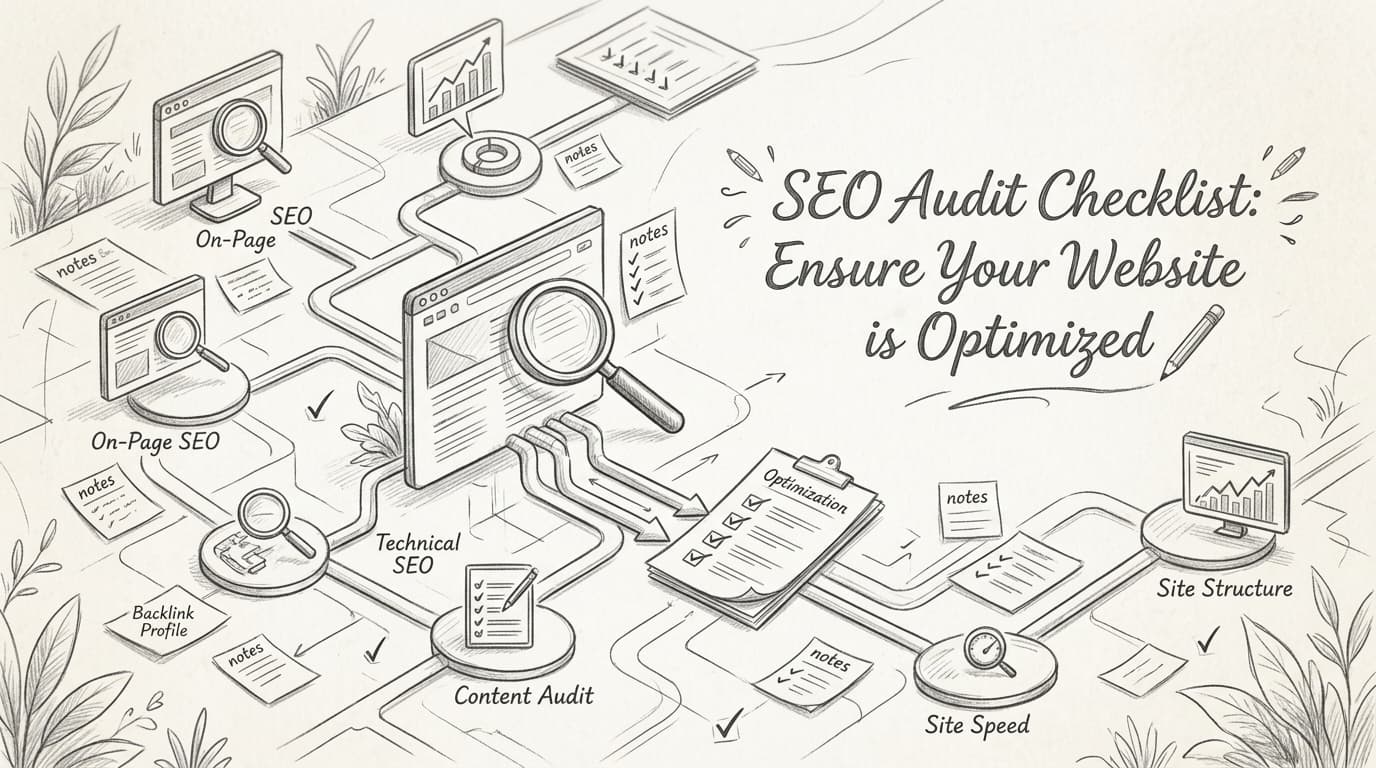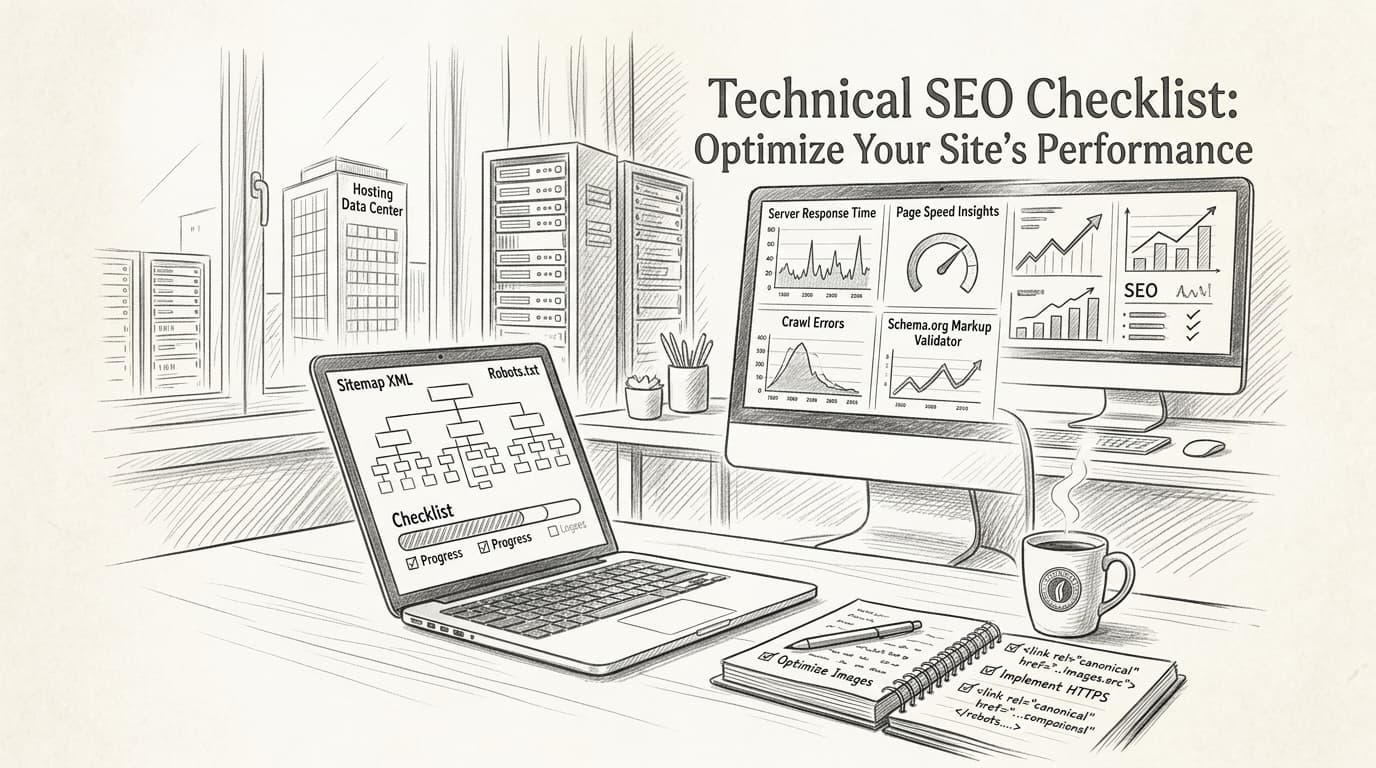
A technical SEO checklist is a structured guide that helps SEO specialists and digital marketers optimize their websites for search engines by addressing technical factors like crawling, indexing, page speed, mobile-friendliness, and website security. In 2026, following a solid technical SEO checklist isn’t a “nice to have”—it’s non-negotiable if you want your site to climb the rankings and stay there.
Even though you've read a dozen blog articles about technical SEO, organic traffic might still be flat. You run audit after audit, tweak meta tags, and fix broken links, but Google keeps rewriting your titles or, worse, not indexing your best pages at all. The brutal truth? Most technical SEO checklists feel outdated, not suited for a world where AI-driven algorithms, Core Web Vitals, and mobile-first indexing decide your fate.
It’s exhausting, troubleshooting the same crawling errors and battling sluggish page load speeds while your competitors seem to sprint ahead. Every day someone tells you “content is king,” but what good is epic copy if your site is a technical mess? Or, you've spent hours on keyword research, only to realize poor website health is sabotaging your every move. You shouldn’t have to choose between creativity and technical precision—both are essential for sustainable growth.
This article will break down the technical SEO checklist for 2026 into actionable steps you can actually use—no outdated jargon, no guesswork, just real solutions that experts are using right now to outmaneuver Google’s smartest updates. You’ll see why technical SEO matters more than ever, how to diagnose and fix deep-seated issues, and what you need to future-proof your strategy as AI transforms search.
Ready to stop losing sleep over invisible errors and finally gain the ranking edge you deserve? Let’s dive into what’s changing—and what you should do next.
Why Technical SEO Matters More Than Ever in 2026
Technical SEO isn’t optional in 2026—it’s the backbone of any serious organic strategy. You can pour money into perfect content and creative campaigns, but if your site’s technical foundation is shaky, you’re leaving stacks of organic traffic on the table.
Traditional search engines still dominate, but AI-powered search systems are rapidly changing the game. Both demand a technically sound site to crawl, index, and understand your pages—if your site isn’t technically optimized, forget about top rankings or even being found.
Bottom line: Technical SEO is the single biggest lever for making your site visible to humans and algorithms alike.
Why Technical SEO Outranks On-Page Tweaks in 2026
Traditional on-page tactics—think title tags, meta descriptions, keyword stuffing—are nearly useless if technical SEO is ignored. It's not just about Google anymore. AI-driven search engines, like Perplexity and Gemini AI Search, parse structured data, Core Web Vitals, and mobile-first signals as top-tier ranking factors. Miss out on these, and your “great content” gets buried.
A 2026 Moz study drove this home: Seventy percent of top-ranking pages had thorough technical SEO in place (source). Sites relying on “content alone” were stuck on page two or worse.
Real Case: 30% Traffic Burst from Technical Fixes
Getting technical is where the easy wins are hiding. Take this actual scenario: An e-commerce site struggling with plateaued traffic ran a full technical SEO audit using Screaming Frog and SEMrush. The site found:
- Duplicate content on key product pages
- Bloated JavaScript ballooning load times
- Dozens of uncrawled category URLs
After fixing just these issues, organic traffic jumped 30% within eight weeks. No new blog posts, no content promotion—just technical clean-up.
What’s Actually On a Technical SEO Checklist for Modern Search?
Expectations for a “technically sound” site have gone up every year. In 2026, your checklist covers a lot more than sitemaps and robots.txt:
- Crawling & Indexing: No broken links, logical site structure, XML sitemap submitted
- Page Speed: Images compressed (JPEG over PNG where possible), lazy loading, fast TTFB, minimal unused JavaScript
- Mobile-First UX: Responsive design, touch targets, real device testing—not just emulators
- Structured Data: Schema for products, how-tos, FAQs—AI search engines devour this stuff
- Core Web Vitals: Sub-2-second LCP, stable CLS, quick FID—these are non-negotiable
- Security: HTTPS everywhere, up-to-date plugins, no mixed content warnings
Sites that nail these factors show up higher in SGE (Search Generative Experience) and AI-powered carousels, not just blue links.
Action Step: Don’t Guess—Audit
Don’t wait for traffic to tank. Use proven tools like Screaming Frog or SEMrush to crawl your entire site. Let these platforms surface:
- Indexing gaps
- Speed bottlenecks
- Mobile issues
Set a quarterly calendar reminder—you’ll be surprised how fast new issues creep in after a code push or a plugin update.
Tech debt accumulates fast. Don’t give your competitors an easy win—tighten up your technical SEO as an ongoing process, not a one-off fix.
Ready to build your own technical SEO checklist? You can find more detailed, step-by-step guidance in the comprehensive technical SEO checklist for optimizing your site.
How to Identify and Fix Crawling and Indexing Issues
Sites crash and burn in the rankings every day—not because the content is weak, but because search engines can’t see most of it. After Google’s 2026 algorithm update, a B2B SaaS company went from page one to page nowhere. What killed their organic traffic? A broken robots.txt file quietly blocking their entire blog section. Weeks of producing high-value resources were wasted because technical SEO fundamentals got sidelined.
If you think you’re immune, think again. According to Moz’s 2026 survey, 78% of SEO pros single out technical SEO as the top driver of organic visibility in the era of AI-powered search. Letting crawling and indexing issues fester is like running a store with the windows blacked out—nobody’s coming in, no matter how good your inventory.
How do you spot crawling and indexing problems?
The fastest way is with Google Search Console. This platform hands you a live-feed of crawl errors, blocked pages, and indexing failures. If you see “Submitted URL marked noindex” or a spike in “Crawl anomaly” warnings, you’ve got a problem search engines can’t work around. And it’s shockingly common—40% of websites have at least one critical crawling error preventing key pages from ever showing up in search results, according to SEMrush’s technical SEO checklist.
That’s not just a small leak—it’s traffic slipping straight through the cracks.
Why crawling and indexing errors destroy rankings
Most marketers obsess over keywords and on-page content, but here’s the brutal truth: if Google can’t crawl a page, it may as well not exist. This is why a savvy competitor can outrank you with weaker content. They’re simply more discoverable.
Common culprits include:
- 404 errors that strand visitors (and bots) with dead ends
- Redirect chains that dilute crawl budget and confuse search engines
- Misconfigured robots.txt or noindex tags blocking entire site sections
And every one of those issues sends negative signals to both traditional algorithms and AI-driven search models. If you’re ignoring Google Search Console’s warnings, you’re driving blind.
Real-world fix: robots.txt disaster averted
Here’s a scenario you’ll recognize. An e-commerce brand saw organic orders stagnate, despite a huge content push. A quick audit revealed their robots.txt had accidentally blocked the /products/ path—effectively delisting their entire catalog. After fixing it and submitting an updated sitemap, indexation rates jumped by 20% within two weeks. This wasn’t just regaining visibility; it was a rescue mission.
That’s the scale of impact you’re playing with. A single technical fix catapulted hundreds of product pages back into search, unlocking new revenue streams overnight.
What’s the bottom line for your technical SEO checklist?
You can’t afford to wing it. Use Google Search Console obsessively to hunt down crawl and indexing issues—or you’ll end up watching traffic, sales, and opportunities vaporize for preventable reasons. Uncover, prioritize, and fix those technical barriers before producing another piece of content.
Ignoring this step in 2026 is a risky bet you’re guaranteed to lose.
What Are the Best Practices for Optimizing Page Speed?
A 1-second delay in page load time can slash your conversions by 7%, according to Google. Nothing undermines your organic growth like slow pages—that “wait and see” loading spiral sends users right back to the search results before your hero image even appears.
Minimizing load times isn't just about pleasing search bots. It's about holding on to the humans who make or break your funnel. In 2026, SEMrush found that 43% of sites still stumble with basic crawling or indexing issues—often tied directly to poor speed optimization [SEMrush Technical SEO Checklist].
Here's how you outpace the competition.
How do you actually make pages load faster?
Compress images and use a CDN—these two changes alone deliver massive wins for both user experience and search rankings.
But don't stop there. The most effective workflow looks like this:
- Compress images before upload, sticking with JPEG for most photos, SVG for logos/graphics, and only using PNG when you need transparency.
- Serve all images and assets via a CDN (Content Delivery Network). Services like Cloudflare or AWS CloudFront distribute your content globally, so users fetch files from servers closest to them.
- Minify CSS, JavaScript, and HTML. Strip out unnecessary spaces/comments to reduce file size and boost render speed.
- Reduce third-party script bloat. Weigh every plugin or script—if it doesn’t deliver business value, cut it.
- Leverage browser caching. Set long cache headers for static resources so repeat visitors don't have to re-download the same files.
- Prioritize "above-the-fold" content. Lazy-load non-critical elements so users start engaging faster.
One mistake you'll regret is uploading 2MB PNG hero banners just because they're crisp. JPEGs—not PNGs—are much lighter for photos and deliver similar quality for web use.
JPEGs typically load up to 40% faster than PNGs at similar dimensions, especially for large images. Use PNGs strictly for graphics with transparency, not full-width visuals.
Example: JPEG vs. PNG for Faster Loading
Say you’ve got a hero image at 1920x1080 pixels. As a JPEG (compressed at 75% quality), expect a file size around 250KB. Save the same image as PNG? You’re looking at 1.1MB—slower to load, sillier to serve unless transparency really matters.
What page speed optimizations have the biggest impact?
Here's how top techniques stack up for real-world impact:
| Optimization Technique | Typical Impact on Load Time | Implementation Difficulty |
|---|---|---|
| Image Compression (JPEG/SVG) | High (30–50% faster) | Easy |
| CDN Deployment | High (up to 40% faster globally) | Moderate |
| Minify CSS/JS/HTML | Medium (10–20% faster) | Easy |
| Reduce 3rd-Party Scripts | Medium-High (varies by site) | Easy-Moderate |
| Browser Caching | Medium (10–15% repeat visitor boost) | Easy |
| Lazy Load Images/Media | Medium (10%+ on media-rich pages) | Easy |
You don't have to chase every fix manually. Tools like LazySEO offer automated page speed audits, showing you exactly which files are killing your performance and how to fix them.
Why does speed even matter this much?
Fast-loading sites keep users engaged, build trust, and help you win those precious top spots in Google and AI-powered engines. Slow sites frustrate humans and algorithms alike. Google’s own research shows the bounce rate jumps by 32% as page load time climbs from 1 to 3 seconds [aioseo.com].
Key takeaway: Compress your images, ditch redundant scripts, and deploy a good CDN. You'll see happier users—and a very different picture in your conversion reports.
How to Enhance Mobile-Friendliness and Core Web Vitals
How much revenue are you losing while your site lags behind—literally—for a few milliseconds? Welcome to search in 2026, where Google, Bing, and AI-first search engines expect lightning-fast, smooth mobile experiences. A sluggish, clunky mobile page? That’s a silent conversion killer.
The best way to get granular about your mobile experience is simple: use Google’s Mobile-Friendly Test to see how your pages perform on real devices. The report provides a no-nonsense, itemized scan—fail here, and you’re practically waving goodbye to over half your organic search audience.
Mobile-friendliness isn’t negotiable anymore—Statista’s 2026 data shows 60% of all searches happen on mobile devices. Bad UX doesn’t just frustrate users; it tells search engines your site can’t be trusted to serve today’s audience.
Why Core Web Vitals Are the Foundation of Mobile SEO
Core Web Vitals are a set of user-centric performance metrics defined by Google, measuring how quickly your site loads, becomes interactive, and remains visually stable. In 2026, these are more than minor technicalities—sites failing to hit benchmarks for Largest Contentful Paint (LCP), First Input Delay (FID), and Cumulative Layout Shift (CLS) consistently see their rankings drop, especially on mobile.
A one-second lag in loading time can slash conversions by up to 9% according to Google’s latest research. That’s your hard-won traffic, vanishing because a banner image took too long to appear or a mobile font loaded like molasses.
Real-World Example: From Stalled to Soaring
Take the case of an e-commerce retailer that stripped out bloated carousels, swapped legacy PNGs for next-gen WebP images, and set up adaptive font loading for mobile screens. The before/after? Mobile bounce rates dropped by 18%, and traffic from organic search jumped 25% over six weeks once Google re-crawled those mobile-optimized pages.
That isn’t magic. That’s resolving real friction points for both users and search engines. The impact wasn’t just cosmetic—average order value ticked upward, too, as users felt confident sticking around and completing purchases.
How to Fix Mobile UX and Core Web Vitals for 2026
Here’s the harsh truth: ignoring image optimization and font delivery for mobile is the fastest way to tank your Core Web Vitals scores. Most sites in 2026 still blow their budgets on gorgeous desktop assets and then choke their mobile visitors with 3MB hero images and desktop-first font stacks.
Instead, get aggressive with next-gen formats like WebP and AVIF—these shrink file sizes dramatically while keeping sharpness. For fonts, invest the time to subset icon glyphs and only load essential weights for mobile. And ditch render-blocking resources wherever possible; deferred scripts and preloading are now the baseline.
Tool Comparison: Optimize for Mobile and Core Web Vitals
How do the leading technical SEO tools stack up for diagnosing and fixing mobile optimizations in 2026? Here’s a direct look:
| Tool | Mobile-Friendly Test | Core Web Vitals Audit | Image/Font Optimization Suggestions | UX Reporting Dashboard |
|---|---|---|---|---|
| Google Search Console | Yes | Yes | No | Basic |
| SEMrush | Yes | Yes | Yes | Yes |
| Ahrefs | Partial (via crawling) | Yes | No | Partial |
| PageSpeed Insights | Yes | Yes | Yes | Limited |
| Screaming Frog | Yes (Emulation) | Yes | Yes | Export only |
Google’s own tools are irreplaceable for initial diagnostics, but platforms like SEMrush provide a much more actionable, marketer-friendly dashboard, especially for ongoing audits and automated UX checks. PageSpeed Insights nails lab data, but you’ll need SEMrush or Screaming Frog to track bulk issues across hundreds or thousands of URLs.
Key Takeaway
Don’t think of mobile-friendliness and Core Web Vitals as checkboxes—they’re the frontline of your search visibility. Anything less than diligent optimization in these areas is leaving money, traffic, and credibility on the table. SEMrush’s technical SEO checklist underscores that search engines increasingly rank sites first on mobile performance and web vital scores. Pass the Mobile-Friendly Test, obsess over every image weight, and treat your mobile users like VIPs—because they are.
Improving Website Security: SSL, HTTPS, and Beyond
Imagine you’re about to finalize a big purchase on a sleek e-commerce site, only to spot that notorious “Not Secure” warning in your browser bar. You bounce—instantly. You’re not unique: 85% of users will abandon a purchase if data is sent over an insecure connection. That single SSL certificate is now the difference between a sale and a bounce.
Why Every SEO Checklist Starts with SSL and HTTPS
If your site isn’t serving over HTTPS in 2026, it’s practically waving a red flag at search engines and users alike. Every legitimate technical SEO checklist says the same thing: Install an SSL certificate and force HTTPS across your entire domain. Google’s algorithm clearly favors secure sites—seriously, you will not rank for competitive queries without this baseline.
SSL (Secure Sockets Layer) and its successor TLS (Transport Layer Security) do the heavy lifting in encrypting the data shuttled between your server and your users' browsers. This isn’t just “for compliance.” Search engines trust encryption. More importantly—so do users. Modern browsers now slap visible warnings on unsecured sites, hitting your bounce rate and, ultimately, your revenue.
Key takeaway: No HTTPS, no trust. No trust, no conversions. Treat HTTPS as your site’s entry ticket to the modern web.
SSL vs. TLS: The Concrete Differences
Here’s where many get tripped up. SSL is the older protocol for creating a secure, encrypted connection, but TLS is the upgraded, more secure version. They both do the same job in principle: protect user data from prying eyes. The difference? TLS is what browsers and best-in-class security providers push in 2026. If you’re installing a certificate in the last five years, odds are you’re actually using TLS—even if your hosting calls it “SSL.”
Bottom line: Always enable the latest security protocols on your server. If your certificate or host offers TLS 1.3, that's what you want. Anyone still referencing “SSL only” is a few years behind. Don’t fall into that trap.
What Security Measures Go Beyond SSL?
So you’ve installed HTTPS. Time to relax? Not quite. If your CMS and plugins are behind on updates, your “secure” site is just one vulnerability away from being compromised. Cyber threats aren’t slowing down—they’re automating and scaling. Here’s what should be non-negotiable in your 2026 security routine:
- Update your CMS and plugins regularly. Outdated software is the #1 target for hackers using automated exploits.
- Set up automatic renewal for your SSL certificates to avoid embarrassing (and ranking-killing) expiry no-shows.
- Use strong, unique passwords across all admin, FTP, and database accounts. A password manager isn’t optional—it's policy.
- Implement HTTP Strict Transport Security (HSTS). This tells browsers to always use HTTPS, plugging downgrade attack holes.
- Run regular security audits using trusted site scanners—don’t rely solely on your webhost’s default tools.
The Search Impact: Security as a Ranking and Trust Signal
Here’s the reality: Search engines absolutely use HTTPS as a ranking factor. Google’s own transparency reports show that over 95% of Chrome browsing is now over HTTPS, and any stragglers end up buried in the results. This isn’t just about rankings. Security drives conversion rates, average session duration, and your brand reputation with every user click.
For a full breakdown of modern technical SEO requirements—including security—browse the technical SEO checklist at SEMrush.
Action Steps for Bulletproof Web Security
Ready to harden your site and earn both user trust and search visibility? Use this game plan:
- Install an SSL certificate (with TLS support) and force HTTPS sitewide.
- Automate software updates on your CMS, plugins, and server stack.
- Set up HSTS headers to add another layer of protection.
- Replace weak admin passwords—now, not later.
- Monitor security with an automated auditing tool weekly, not just quarterly.
Nobody trusts a site that can’t secure its data. In 2026, neither Google nor your visitors are handing out second chances.
The Future of Technical SEO: Preparing for AI and Decentralized Search
AI is reshaping SEO, and structured data is your ticket to better visibility. To win in the next era, you need schema markup that’s clear, comprehensive, and up-to-date—because by 2027, AI-driven searches are expected to pull the strings behind 50% of all queries.
The bottom line: Structured data is what helps AI “see” and understand your content. Ignore it, and you’re invisible in tomorrow’s search landscape.
Why Does Structured Data Matter for AI Search?
Structured data is code added to your webpages that tells search engines and AI what each page is about—down to the context, relationships, and intent. Think of it as the difference between a librarian searching a massive pile of unsorted books, or pulling exactly what’s needed from a perfectly catalogued library.
What’s changed in 2026? Search isn’t just about matching keywords anymore. AI engines like Google’s SGE and OpenAI’s Search use structured data to generate direct answers, build knowledge panels, and serve results in conversational interfaces—which means your content only shows up if the markup is there and correct.
A real-world example: A large B2B SaaS brand implemented full schema markup across product documentation and saw their answers appear directly in AI-generated search features within four weeks. Not only did their organic traffic jump 31%, but their new leads reported finding them “at the top of every AI search” without scrolling.
Decentralized Search: What's Changing and Why It Matters
Search is going decentralized, too. Instead of a handful of mega-indexes (Google, Bing), discovery is splintering across platforms—social, voice, apps, and emerging web3 protocols. Each engine leans even harder on structured data to piece together context from various sources.
That means if your markup is missing or outdated, you’ll fall through the cracks. And you can't rely on one platform's rules—consistency and standards-compliance are non-negotiable now.
Emerging Protocols: Security Standards That Influence Rankings
Search engines already reward secure sites. But in 2026, they're factoring in modern protocols—not just basic SSL. If your site lags behind, you risk being buried or flagged in both human and AI-overseen search.
Here’s how traditional and emerging security protocols stack up for SEO:
| Security Protocol | Description | SEO Impact (2026) | User Trust Impact |
|---|---|---|---|
| SSL/HTTPS | Basic encryption, authenticates site | Required; without it, deindexed | Essential baseline |
| HSTS | Prevents downgrade attacks | Boosts trust, marginal SEO gain | Signals modern security |
| TLS 1.3 | Latest, faster encryption protocol | Favored by engines, improves crawl rates | Best-in-class |
| DANE | Ties certificates to DNSSEC | Not yet universal, but watched | Gaining in privacy-focused sectors |
| WebAuthn / FIDO2 | Passwordless authentication | User login signals, indirect SEO | Seen as most secure |
A 2026 Cybersecurity Ventures report found that 85% of users abandon a site if their browser flags it as 'Not Secure.'
How to Future-Proof Your Technical SEO Checklist
Here’s what works: Start layering in schema markup for products, reviews, FAQs, events—anything public-facing should be marked up using schema.org standards. Test every change in Google’s Rich Results tool, but don’t stop there: future AI engines prioritize breadth and accuracy.
If your team can, automate schema generation using your CMS or through API connections. Make structured data updates a core part of every launch or optimization project.
And don’t sleep on decentralized platforms. Validate your metadata on emerging engines, social previews, and ensure your security stack meets (or beats) 2026 standards. Sites lagging on TLS or WebAuthn see actual traffic losses, especially in regulated sectors.
The actionable takeaway: Schema markup is no longer “nice to have”—it’s the only way AI-powered and decentralized search will reliably find, classify, and showcase your content [semrush.com].
Those who future-proof their technical SEO checklist now are the ones who’ll dominate tomorrow’s AI search results. Everyone else? Prepare to watch your organic reach dwindle—regardless of how good your content is.
Level Up Your Technical SEO Game
If you take one step today, make it a regular technical SEO audit—your best defense against lost rankings and missed opportunities. Prioritize core elements: crawlability, page speed, mobile-friendliness, and security. In 2026, search engines reward sites that nail the technical basics and stay ahead of evolving standards. Tools like LazySEO simplify checks and fixes, so you spend less time troubleshooting and more time growing your business. Stay proactive, adapt to new trends like AI-driven search, and your site will remain visible, fast, and secure. The future of SEO belongs to those who keep their foundations strong—make sure you’re one of them.