
SEO Audit Checklist: Ensuring Your Site's Health

An SEO audit checklist provides a step-by-step guide to analyze your website’s search performance, uncover technical issues, and prioritize fixes that boost your rankings. In 2026, a complete SEO audit checklist is your blueprint for staying ahead of algorithm changes and your competition. Even with hours spent on keyword research and on-page tweaks, your best content can get buried if critical technical or off-page problems go unnoticed.
You spend weeks optimizing pages and writing value-packed blog posts, only to see traffic plateau or dip. It's frustrating when Google doesn't reward your effort, and you start questioning if something invisible is holding your site back. You're not alone—68% of marketing pros admit they skip comprehensive SEO auditing due to time pressure or lack of a reliable process. The catch? Those overlooked checks often separate top-ranking sites from those stuck on page two.
This isn't about another generic to-do list. It's about a practical, up-to-date SEO audit checklist for 2026, covering everything from crawlability to Core Web Vitals, entity optimization to AI-generated content signals. You’ll cut through guesswork and see what’s working, what’s broken, and which fixes should top your priorities. No more wondering if you missed a hidden penalty or if competitors are leapfrogging you with smarter audits.
If you're ready to eliminate uncertainty, move beyond random tweaks, and systematically boost your organic search traffic—welcome to your new SEO audit playbook. Let’s start by unpacking why even the best SEO strategies can’t skip a full-site audit this year.
Why Your SEO Strategy Needs a Comprehensive Audit Now

Regular SEO audits can boost your organic traffic by up to 30% within six months. This isn’t theory—it’s backed by a 2026 SEMrush study and echoed by brands that have turned their sites around by getting serious about audits.
Here's the reality: 70% of websites limp along with critical errors holding back their rankings. Missed redirects. Broken schema. Bloated page speed. If you’re not running audits, you’re flying blind while Google quietly bumps you further down the page.
Most teams wait until traffic flatlines before asking what's broken. That’s backwards. The best treat SEO audits as maintenance, not emergency surgery.
What Happens When You Actually Audit?
Consider a leading e-commerce retailer stuck at 20,000 monthly visitors. Quarterly audits revealed duplicate content across category pages, missing structured data, and crawl traps in the faceted navigation. Fixing these issues doubled their organic traffic within five months—growth they’d been chasing for two years.
The real kicker? Over half of these problems were invisible unless you dug deep. Tinkering with title tags or pumping out new blog posts never would have solved the hidden site architecture issues.
Why Most Sites Are Losing Out
Here’s what happens when you neglect your audit:
- Critical errors sneak in after every content or design update.
- Google’s ever-evolving algorithm leaves you in the dust unless your site meets current good approaches.
- Technical debt stacks up. Site speed, mobile usability, structured data—all degrade quietly over time.
- Your competitors, who are running audits, keep inching ahead.
A 2026 data pull published by Moz found that sites skipping regular audits missed an average of 22 broken internal links, 14 orphaned pages, and 9 incorrect canonical tags—every single quarter (source). These aren’t minor mistakes. Some issues can tank an entire section’s rankings.
The Non-Negotiable: Make Audits a Habit
If you want to avoid joining the 70% staggering around with unseen SEO dead weight, set a standing calendar invite for a quarterly SEO audit. Waiting for alarms, algorithm updates, or traffic drops is a losing strategy. Proactive beats reactive—every time.
What should that audit cover? At minimum, you’re inspecting:
- Crawlability and index coverage
- Site speed and mobile experience
- Broken links (internal and external)
- Structured data and on-page tags
- Thin or duplicate content
- Security issues (HTTPS, mixed content)
- Technical updates to meet Google’s shifting standards
If you’re not sure where to start, frameworks from places like frontendchecklist.io or trusted tools can save hours by giving you a real, step-by-step checklist. For a more in-depth approach, consider following a technical SEO checklist that guides you through optimizing your site for search engines effectively.
What Are the Essential Components of an SEO Audit?

Picture this: Organic traffic tanks overnight. Rankings plummet. Panic mode. You start scrambling for answers — but if your last SEO audit was a generic checklist or, even worse, just a one-time thing, you’re flying blind.
That’s how most teams discover the gaps when Google’s next update hits or a technical error knocks out half your indexed pages. The sites that bounce back? They’re the ones with airtight, all-angle audits — not just ticking boxes, but rigorously checking every corner, every time.
What belongs in a bulletproof SEO audit?
A comprehensive SEO audit needs three pillars covered — technical, on-page, and off-page. If one’s missing, you might as well skip the effort. Here’s how each plays out in the real world:
-
Technical SEO covers the foundation. This means crawling errors, site speed, mobile usability, XML sitemaps, HTTPS status, robots.txt, and structured data. Miss a major technical gap — like Googlebot blocked from crawling your most important pages — and all your content investments won’t move the needle.
-
On-page SEO drills into what’s visible: titles, meta descriptions, headings, keyword targeting, internal linking, and media optimization (including alt text for images). This is where you fine-tune relevance and user experience, transforming raw content into ranking assets.
-
Off-page SEO tracks your digital footprint outside your site. Backlinks, unlinked brand mentions, business listings, Google Business Profile — all these determine authority signals. Neglect these, and you’ll get outranked by competitors with weaker content but stronger link equity.
Here’s the bottom line — skipping just one of these? That’s a guaranteed way to flush organic potential down the drain.
Why the best audits combine every component
Let’s talk outcomes. Imagine two sites both looking to recover from a ranking drop.
- Site A goes all-in with a technical audit — fixes speed, cleans up redirects, ensures mobile-friendliness. Traffic stabilizes, but organic clicks barely budge. Turns out, thin meta content and decade-old backlinks were holding them back.
- Site B runs a content refresh and bulks up backlinks… but skips crawling for 404 errors, broken sitemap links, or JavaScript rendering issues. Their shiny new pages stay stuck on page three.
Neither site gets a full rebound. Why? Because isolated auditing creates blind spots. According to a 2025 SEMrush report, 68% of sites that conduct full-spectrum quarterly audits see sustained ranking improvements, while those running only piecemeal checks lag far behind.
The audit checklist: your not-so-secret weapon
The sites that never get blindsided? They use structured checklists — not just a list jotted in Notion, but a disciplined routine you repeat every quarter. This keeps you from missing critical issues: duplicate content, slow-loading product pages, or a broken Google Business Profile.
If you’re not treating your audit as a living, revisit-every-quarter workflow, you’re begging for nasty surprises. A checklist isn’t sexy. But it’s the difference between catching issues in the routine and waking up to a traffic tragedy.
How to Conduct a Technical SEO Audit: Tools and Techniques
What separates a forgettable SEO audit from one that drives real rankings? It's technical execution. Anyone can check meta tags and page titles, but if you're ignoring technical SEO, you're leaving speed, crawlability, and discoverability (a.k.a. rankings) on the table.
Which Tools Actually Matter for Technical SEO Audits?
Cut through the noise—serious audits always start with proven platforms. Screaming Frog and Google Search Console are must-haves if you value your time and your pages’ chance to rank. Screaming Frog’s crawler simulates a search engine bot, crawling every link and surfacing issues you’d never spot in-browser. Google Search Console pulls back the curtain on indexing status, Core Web Vitals, and crawl errors that kill rankings.
Overwhelmed by options? Cut to this:
| Audit Pillar | What It Checks | Best Tools | Ranking Impact |
|---|---|---|---|
| Site Structure | Broken links, navigation, depth | Screaming Frog, Ahrefs Site Audit | High |
| Crawlability | Robots.txt, indexed pages | Google Search Console, DeepCrawl | Critical |
| Performance & Speed | Page load times, Core Web Vitals | PageSpeed Insights, GTmetrix | Highest |
| Mobile Usability | Responsive design, touch targets | Mobile-Friendly Test, SEMrush | High |
| Security | HTTPS, mixed content | SSL Labs, SecurityHeaders.com | Essential |
| Sitemaps/Robots.txt | XML sitemap health, disallow rules | XML Sitemap Validator, Screaming Frog | High |
Over half of marketers (54%) skip at least one key technical component in their audit, causing avoidable drops in both rankings and traffic. Don’t be in that half. [source]
What Are Concrete Benefits of Optimized Technical SEO?
Websites prioritizing technical SEO see a 20% faster average load time compared to those stuck chasing just content tweaks [source]. Page speed isn’t just a “nice to have”—it’s a direct ranking factor. Google doesn’t index what it can’t access, and users ditch slow sites in seconds.
Here’s real proof: a SaaS company last year used Screaming Frog paired with Google PageSpeed Insights to flag oversized images, unused scripts, and redirect loops. The result? Site speed literally doubled—from 4.2 seconds to just over 2 seconds. Organic sign-ups jumped 19% the next quarter. Faster crawl, higher rank, more revenue.
Technical SEO Audit: What Should You Actually Do?
The best technical checks aren’t guesswork. Make these non-negotiables in your process:
-
Crawl Your Site Regularly
Identify broken links, missing tags, and crawl traps with Screaming Frog or DeepCrawl at least monthly. -
Check Google Search Console Error Reports
Pay especially close attention to Crawl Errors, Mobile Usability, and Index Coverage. -
Audit Sitemaps and Robots.txt
Update your XML sitemap after every major site change. Double-check robots.txt to ensure you’re not accidentally blocking pages you care about. -
Test Page Speed AND Fix Issues
Scan pages in PageSpeed Insights, but actually deploy the fixes: compress images, defer offscreen loads, and kill legacy scripts. -
Inspect for HTTPS Issues
Mixed content or expired certificates are silent ranking killers. Use SSL Labs after every migration or redeployment.
Is It Worth the Effort? (Spoiler: Yes)
Technical SEO isn’t a one-off checklist—it’s an ongoing edge. Marketers treating audits as a quarterly ritual (not an annual scramble) see compounds in traffic, site health, and conversion rates far beyond what “just content” can offer.
The key takeaway: Audit smarter, use the right tools, and never let “technical” be your weakest SEO link.
On-Page SEO Audit: Optimizing Content for Maximum Impact
Pages with sloppy technical setups plague even the biggest brands—BrightEdge found in 2025 that 72% of high-traffic sites still have unresolved technical SEO issues. But here’s the kicker: optimizing your on-page SEO isn’t just about satisfying crawlers. It’s how content actually moves the needle in ranking and revenue.
On-page SEO is all about maximizing your content’s effectiveness through keyword optimization, meta tag refinement, and content quality. This trio offers more ROI per hour spent than nearly any other SEO task. Ignore these, and you’re handing top spots to the competition.
Why Are Keyword Optimization, Meta Tags, and Content Quality Every Audit’s Power Trio?
Focus on these three or risk wasting months of effort: keyword density directs relevance, meta tags earn you click-throughs, and content quality keeps visitors glued to your site.
Keyword optimization means integrating target terms naturally where search engines and readers expect them: titles, headings, and core paragraphs. Stuffing 5% keyword density? That’s a red flag. These days, a 1-2% density, woven into value-driven writing, beats robotic repetition every time.
Meta tags—especially meta descriptions—are your organic ad copy. Pages with thoughtfully crafted meta descriptions grab a 5.8% higher CTR (click-through rate) than those left to auto-generate, according to Moz’s recent audit guide. That’s not just a rounding error; that’s another 58 clicks for every 1,000 impressions.
Content quality now means more than correct grammar and basic readability. Google’s EEAT (Experience, Expertise, Authoritativeness, Trustworthiness) is baked into every core update. Thin, generic, or AI-padded paragraphs get bulldozed by genuinely helpful, original content.
How Keyword Density, Meta Tags, and Content Quality Stack Up
Here’s how these three areas compare on effort, direct ranking impact, and user experience value:
| Audit Focus | Effort to Fix | Direct Ranking Impact | User Engagement Impact |
|---|---|---|---|
| Keyword Density | ★★☆☆☆ | ★★★★☆ | ★★☆☆☆ |
| Meta Tags | ★★★☆☆ | ★★★☆☆ | ★★★★★ |
| Content Quality | ★★★★★ | ★★★★★ | ★★★★★ |
Quick takeaway: Content quality demands the most sweat, but it’s the kingpin for both rankings and engagement. Meta tags are your lowest-effort, highest-CTR lever. Keyword density helps, but only as part of the broader picture.
How to Audit and Optimize: Step-by-Step
Start by crawling your site with an on-page analyzer, like Yoast SEO or Screaming Frog. These tools flag missing meta descriptions, spot awkward keyword distribution, and surface duplicate H1 tags—that’s audit gold. If you’re managing hundreds of URLs, tools like LazySEO can automate much of this heavy lifting, stacking up competitor data so you know exactly where to focus.
Next, rewrite meta descriptions for your top 20 organic pages. Don’t lean on auto-generated snippets. Sharper, benefit-driven copy not only catches the eye but also feeds search intent.
Then, skim through keyword distribution. You want relevance, not repetition. Tools show you keyword mapping gaps—missing in H2s, non-existent in image alt text, or overdone in the intro.
Finally, review content quality. Does every article offer something that competitors don’t? If it could be replaced by a generic ChatGPT answer, it’s not going to climb. Add expert quotes, primary data, and custom visuals to raise the bar.
Don’t fall for the checklist fallacy—just ticking “keyword present” is nowhere near enough for 2026’s standards. Aim for nuanced optimization you’d be proud to show both users and Google.
Key takeaway: Invest the most effort in content quality, but never neglect meta descriptions—those 155 characters can mean the difference between a buried URL and a top performer.
Off-Page SEO Audit: Building Authority and Trust
Off-page SEO isn’t just about getting a few backlinks and calling it a day. It’s the backbone of your website’s authority—and the trust you’ll earn from both users and algorithms. If you’re ignoring your off-page signals in 2026, you’re handing your competitors an open invitation to outrank you.
It’s not a secret: backlinks, social signals, and brand mentions are the holy trinity of off-page SEO. Google’s latest algorithms take a far more nuanced view than ever, weighing trust, brand reputation, and real authority—not just raw link volume.
What is Off-Page SEO, and Why Does It Matter?
Off-page SEO refers to optimization efforts that happen away from your actual website. The big players here are backlinks (links from others pointing to your site), social proof (shares, likes, comments), and mentions of your brand outside your own domains.
Here’s the kicker: websites with a strong backlink profile rank, on average, 30% higher than those with weaker profiles (source). That’s not a minor edge—it’s the difference between languishing on the third results page and owning a top-three spot.
Why Authoritative Links Rule the Game
Not all links are created equal. Anyone can buy junk links, and Google’s smarter than ever at sniffing those out. Authoritative, relevant links from real, respected sites in your industry signal genuine value.
Consider this scenario: A digital marketing agency noticed stagnant growth despite churning out killer content. The problem? Weak domain authority. After a six-month blitz focused on earning backlinks from trusted marketing publications and SaaS review blogs, their domain authority shot up 15 points. Rankings followed suit, moving several key pages onto page one. That’s the direct power of strategic off-page moves.
How to Audit Off-Page SEO Properly
Most marketers treat off-page like a black box. That’s a mistake. Here’s a hands-on checklist to make sure you’re not missing what matters:
-
Run a Backlink Analysis:
Use tools like Ahrefs, Moz, or Majestic to see not just how many links you have, but which sites are linking to you. Flag any toxic or low-quality sources for disavowal. -
Check for Brand Mentions:
Track unlinked mentions using Google Alerts or Mention. Reach out for a link when someone talks about your brand but forgets to link. -
Review Social Signals:
Audit how often your content is shared and discussed on top platforms. Weak engagement? Figure out if your content’s actually worth sharing, or if your distribution needs a boost. -
Benchmark Against Competitors:
Identify where competitors are earning their best links and mentions. If industry blogs are featuring their guides but not yours, that’s a clear opportunity. -
Evaluate Link Diversity:
If 80% of your links come from just two domains, you’ve got a problem. Healthy profiles show links from dozens (if not hundreds) of unique, relevant domains.
Spotting Red Flags: Toxic Links and Shady Mentions
Google isn’t just ignoring spammy links now—it’s actively punishing sites that rely on them. Pick up a spike in weird, off-topic domains, or see anchor text that’s over-optimized? Move fast. Disavow links before they harm your reputation.
For a structured checklist and more detail, the team at Moz maintains an up-to-date SEO audit checklist that’s worth bookmarking.
Key Takeaway
Skipping your off-page audit is a massive missed opportunity. The strongest backlink profiles—and sharpest monitoring of mentions and social proof—deliver the authority Google rewards in 2026. Smart marketers treat off-page as an ongoing, measurable strategy, not a checkbox they tick once. Want higher rankings? This is non-negotiable.
SEO Audit Checklist for 2026: Staying Ahead of the Curve
A fashion e-commerce site was buried on page three for its top keyword in early 2025. Six months after revamping its off-page strategy—think digital PR blitz, high-authority guest posts, and relentless outreach—the site rocketed to the top five. The game-changer? Combining traditional link-building discipline with a new breed of AI-driven SEO tools. That’s what you’re up against now.
Here's the reality: an effective SEO audit checklist in 2026 isn’t just about fixing technical errors or sprinkling in the right keywords. You need to address how Google thinks, how users behave (especially on mobile), and how automation can let you move 10x faster than the teams still stuck auditing one meta tag at a time.
More than 60% of all searches in 2026 happen on mobile devices. If your site isn’t mobile-first—from Core Web Vitals to content formatting—you’re losing out on the majority of organic traffic sources. Make mobile your default, not an afterthought.
What’s Essential for a 2026 SEO Audit Checklist?
For 2026, a killer SEO audit covers three giant shifts: AI-driven analysis, mobile-first everything, and data-backed content decisions.
- AI-driven tools like Surfer SEO, Clearscope, and Semrush Copilot aren’t optional—they’re the standard for leading teams. These platforms crunch unimaginable data, flagging patterns a human would never spot: missing entity mentions, unforeseen intent mismatches, topic gaps blind to old-school checklists.
- Mobile-first indexing isn’t a buzzword; it’s now Google’s baseline. Tablets, smartphones, voice search—your users have left desktop behind, and so have the algorithms.
- It's no longer enough to run "good approaches" audits. You should expect personalized, prioritized recommendations: which pages to fix first, which content gaps bleed traffic, which link-building moves will actually tip rankings.
How Do AI-Driven SEO Tools Stack Up to Traditional Ones?
Traditional SEO tools let you spot broken links or duplicate content. AI-powered tools tell you why your competitors outrank you—and what to change now.
Here’s a snapshot of what’s changed:
| Feature | Traditional SEO Tools | AI-Driven SEO Tools (2026) |
|---|---|---|
| Crawl/Index Analysis | Manual checks (Screaming Frog) | Automated, predictive crawl issues |
| Content Optimization | Basic keyword density scoring | Semantic, intent, entity analysis |
| Backlink Analysis | Raw link dumps | Identify link quality & probability of impact |
| Audit Prioritization | Manual spreadsheet triage | AI-ranked by ROI & effort |
| Reporting | Standard PDFs, generic exports | Dynamic dashboards, actionable next steps |
Bottom line: Relying on manual audits alone is a recipe for missed opportunities. AI-powered platforms flag issues before they hurt rankings and highlight hidden growth levers.
Why Mobile-First SEO Now Decides Winners and Losers
Mobile-first indexing means Google ranks your site based on how it appears on a phone—not a desktop. Miss this and you’re invisible for more than half your audience.
- In 2026, users expect instant loads, app-like navigation, and content layouts that don’t feel like scaled-down spreadsheet tables.
- Google’s mobile site crawler is now its primary judge of “SEO health.” Unreadable font sizes, blocked resources, or laggy interactive elements? Your most valuable pages slip down the SERPs.
Actionable Next Steps: Go Beyond Checklists—Integrate, Automate, Iterate
So, what actually works? Don’t just review a static list every quarter. Embed auditing into your workflow. Schedule automated crawls. Let AI tools learn your site’s patterns over time (Surfer SEO, for instance, now gives weekly prioritized tasks, not just error reports).
Real impact comes when you blend old-school discipline with new-school automation: AI audits for ongoing recommendations, mobile diagnostics scheduled after every site deployment, and a clear feedback loop between what you fix and how rankings respond.
If you want tactical next steps, the Moz SEO audit checklist remains a solid textbook resource, but the winners in 2026 are using AI to leapfrog outdated processes.
The key takeaway: In 2026, “set it and forget it” SEO is dead. It’s about dynamic audits, mobile-first execution, and AI-driven action—every single sprint.
Implementing Your SEO Audit: From Insights to Action
Algorithm changes aren’t slowing down—in fact, in 2025, Google shipped 11 major updates, a record pace that’s only expected to accelerate. If your SEO audit doesn’t lead to clear, prioritized action, your rankings will erode by the next core update. Here’s how to make every audit insight worth its weight in organic clicks.
Prioritize for Maximum Impact
Don’t treat every issue like a five-alarm fire. The fastest wins come from ruthless prioritization: target fixes with high SEO impact and easy implementation first. Addressing these high-impact, quick-win issues can lead to a 40% jump in rankings, according to industry analysis on Moz.
Low-value “fixes” like tweaking meta descriptions? Not urgent unless those pages drive revenue.
Bottom line: Focus your team’s firepower where it moves the needle—broken core pages, crawl errors, critical content gaps, indexation blockers. Everything else can wait.
What Does an Actionable SEO Audit Process Look Like?
Turning audit insights into rankings means going from a messy spreadsheet to structured, trackable actions. Here’s the process top teams use:
- List Every Finding: Capture every issue in a central doc or project management tool.
- Score Impact and Effort: Assign scores (e.g., 1-3) to each issue for impact (on traffic/conversions) and ease of fixing.
- Sort for “Quick Wins” and “Big Bets”: High-impact, low-effort = quick wins; High-impact, high-effort = big bets worth planning.
- Assign Owners: Every task needs a name attached. Ambiguity kills progress.
- Set Deadlines: Give each item a realistic, but tight, due date.
- Automate Where Possible: Use tools to auto-flag future regressions.
Audit checklists alone won’t boost rankings—ownership and deadlines will.
A Real-World Win: From Audit to 25% More Traffic
Consider the journey of a SaaS content marketer who dug into a deep-dive SEO audit in early 2026:
- The audit surfaced 72 technical issues, from duplicate H1s to render-blocking JS files.
- Instead of trying to tackle everything in one sprint (a classic mistake), the team filtered by “critical to indexation” and “traffic potential.”
- The first month’s focus was: fixing mobile speed on three lead-gen landing pages, cleaning 404s, and optimizing unaddressed keyword gaps on top blog assets.
- Thirty days later, organic sessions climbed 25%—entirely from those “high leverage” changes. There were still minor issues outstanding, but the traffic hit came from what actually mattered.
That’s the power of ruthless prioritization and clear execution.
How to Build Your Implementation Roadmap
A well-run SEO audit transitions straight into a collaborative action plan. Here’s a practical step-by-step:
- Centralize your audit findings in a project tracker (Notion, Asana, Monday.com—even a smart Google Sheet works).
- Tag each task by impact and urgency.
- Create a kanban board for “To Do,” “In Progress,” and “Done”—because static lists kill momentum.
- Assign clear ownership to every task (no “team” responsibility!).
- Schedule weekly status checks to keep momentum high and resolve blockers.
- Review analytics monthly to tie improvements to traffic and ranking changes.
Why Timelines and Task Assignments Are Non-Negotiable
An SEO audit without deadlines is just theory—no one pays for theory. Your roadmap should look like a production schedule, not “someday” tasks.
Top-performing teams don’t wait to “get around to it.” They assign tasks by owner, due date, and measurable outcome. If you can automate reminders and progress reports (this is where tools like LazySEO can help), you’ll keep the entire initiative from dying in someone’s inbox.
Key takeaway: Audit insights only pay off when your action plan is ruthlessly prioritized, owned by real people, and tracked against deadlines. That’s how winning teams lock in sustainable SEO gains in 2026.
Ready, Set, Audit!
Mastering your SEO audit checklist isn’t just about ticking boxes—it’s about uncovering real opportunities for growth and staying ahead in an ever-evolving digital landscape. The most actionable step you can take right now? Schedule a quarterly comprehensive SEO audit, using a structured checklist to guide your review of technical, on-page, and off-page factors. Tools like LazySEO can streamline the process, helping you identify gaps and implement improvements faster. By making audits a regular habit, you’ll spot issues before they impact your rankings and seize new chances to outperform your competitors. Commit to this proactive approach, and watch your search visibility soar through 2026 and beyond. Your next SEO win is just an audit away.
Free tools for this topic
Put this guide into practice — no sign-up needed.
- SEO Audit ToolAudit any webpage for technical and on-page SEO issues and get a prioritized list of fixes.
- Crawler SimulatorSee what a search engine crawler sees on your page: title, meta, headings, OG tags, HTTP headers and raw HTML.
- Robots.txt CheckerValidate your robots.txt for crawl issues. Check sitemap references, blocked paths, and crawlability.
Was this article helpful?
Want content like this on autopilot?
LazySEO researches, writes, and publishes SEO-optimized articles daily. You just review.
Related Articles
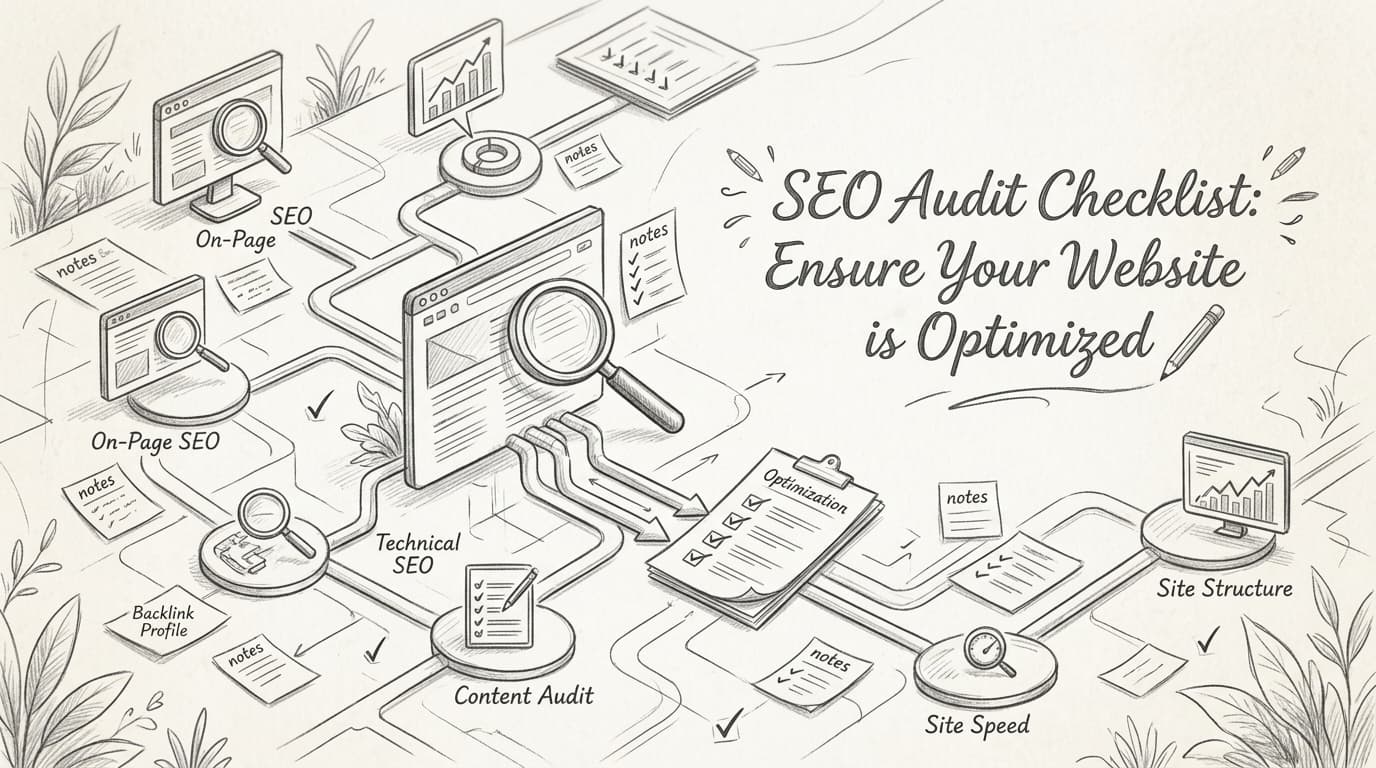
SEO Audit Checklist: Ensure Your Website is Optimized
Master SEO with our 2026 audit checklist. Boost rankings, drive traffic, and optimize your site with expert tips and tools.
Essential SEO Audit Checklist for 2023
Master the SEO audit checklist with our 2026 guide. Boost organic traffic and stay competitive with expert insights and actionable steps.

How to Use SERPs SEO Checker for Accurate Analysis
Learn how to use SERP SEO checkers to boost your rankings and stay ahead in 2026. Discover top tools, strategies, and future trends.
Continue exploring
Free SEO Tools
Put these strategies into practice instantly. Our free tools help you generate meta descriptions, optimize title tags, analyze SERPs, and research keywords.
Explore free toolsFind Your Use Case
See how founders, SaaS companies, agencies, and bloggers use LazySEO to grow organic traffic — with strategies built around their specific goals.
Browse use cases