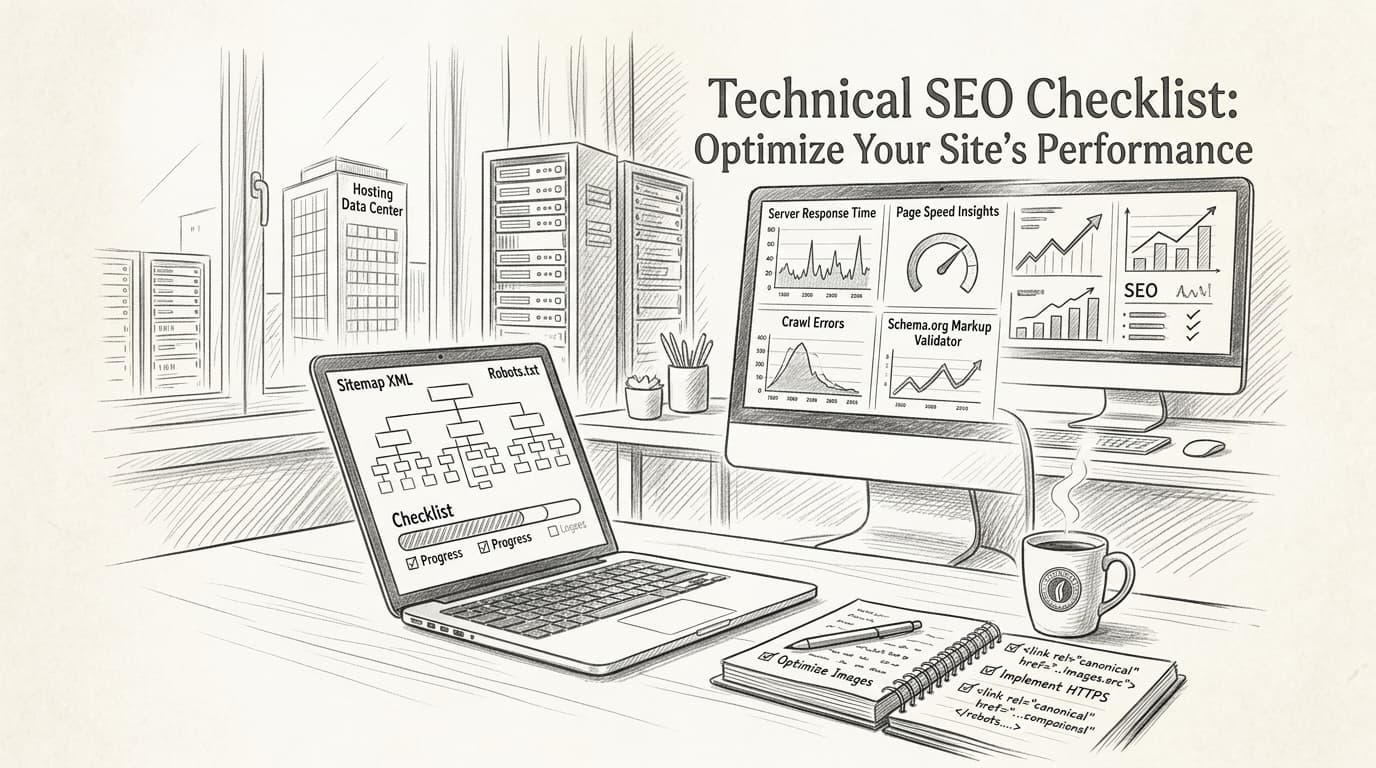
A technical SEO checklist is a structured set of site optimizations that helps SEO specialists, digital marketers, and content teams ensure search engines can properly crawl, index, and rank their website. In 2026, following a comprehensive technical SEO checklist is crucial for driving organic search traffic and staying visible in fiercely competitive industries like marketing, e-commerce, and SaaS.
You know the feeling: hours spent refining content and researching keywords, only to have your pages buried deep in Google’s results—or worse, not indexed at all. Maybe you’ve run audit after audit, but the flood of warnings and errors just adds to the chaos. What’s really stopping your site from breaking through? A recent survey revealed that over 70% of digital marketers spend more than a quarter of their workweek just troubleshooting technical SEO issues—yet most admit they aren’t sure which fixes actually move the needle.
It’s not enough to stuff your calendar with keywords or chase after backlinks. Without a precise technical SEO checklist tailored to 2026’s search landscape, you’re gambling with your site’s fate. Algorithm updates now reward websites that load lightning-fast, adapt to every device, and safeguard user privacy with airtight security. Meanwhile, new standards like Core Web Vitals make past advice obsolete, and crawling or indexing errors can quietly torpedo your results—often with no obvious sign until traffic plunges and leads dry up.
This ultimate guide arms you with practical, up-to-date tactics for diagnosing crawling and indexing snafus, optimizing Core Web Vitals, perfecting mobile experiences, and tightening website security—plus an insider’s look at emerging trends shaping the future of technical SEO. Ready to discover why technical SEO matters more than ever—and how to master it for 2026? Let’s dive into what’s changed, what matters most, and how to finally claim the visibility your site deserves.
Why Technical SEO Matters More Than Ever in 2026
Technical SEO is the backbone of modern search visibility. If you're still treating it like a one-time clean-up task, you're falling behind—fast. In 2026, both traditional and AI-driven search engines are raising the stakes with new standards for speed, structure, and crawlability. Simply put, if your site isn’t dialed in technically, no amount of content or backlinks is going to save your rankings.
Why Does Technical SEO Matter in 2026?
AI search is fundamentally changing how users find information, but the building blocks haven’t budged: crawlability, indexation, and site architecture. Yes, Google’s core algorithms have matured, but now you’ve got AI-based engines dissecting site markup and structure at a granular level. That means sloppy code, slow load times, and broken schemas are more damaging than ever.
Here’s a wake-up call from the latest SEMrush survey: A whopping 70% of marketers reported significantly improved organic rankings after addressing technical SEO issues.
The ROI of Getting Technical SEO Right
Take a page from a leading e-commerce player’s playbook. They ran a comprehensive technical SEO audit and prioritized fixes: eliminated duplicate content, cleaned up messy redirect chains, and implemented structured data across categories. The payoff? 30% more organic traffic—all by tightening up the technical side, not just cranking out more content.
What’s on a 2026 Technical SEO Checklist?
Everyone throws around the term “technical SEO,” but let’s get specific. Here are the non-negotiables for 2026:
- Crawling and indexing: Make sure bots can reach—and index—the right pages, fast.
- Site speed: Sub-2-second loads are now expected, especially on mobile.
- Mobile-first: Your site must deliver a seamless mobile experience.
- Structured data: AI engines rely on schema; missing markup = missing rich results.
- Internal linking: Logical, hierarchical structure guides both search bots and users.
- Security: HTTPS is table stakes. Anything less? You’ll plummet in search.
For a full breakdown, see authoritative checklists from SEMrush and this detailed technical SEO checklist which covers optimizing your site for success comprehensively.
How to Identify and Fix Crawling and Indexing Issues

Picture this: a SaaS startup launches a gorgeous new site, rolls out highly shareable content, and for a few months, the analytics dashboard lights up. Then, traffic nosedives out of nowhere. Teams scramble—did the algorithm change, was there a content gap, or did competitors outmaneuver the brand? Nope. It was a silent killer that strikes thousands of sites every month: crawling and indexing problems.
Crawling issues happen when search engines like Google simply can't reach your content, whether it’s a broken robots.txt file, unwanted noindex tags, or an accidental redirect loop somewhere deep in your site architecture. If your product pages or blog posts aren't being crawled, they may as well not exist. Nearly 40% of websites are still grappling with unresolved crawling issues, according to the latest Moz report (source).
Indexing issues are a different flavor of headache. Sometimes Google crawls a page but then decides not to add it to the index at all, either due to quality signals, duplicate content, or sneaky technical roadblocks. If you’ve ever found pages with "Discovered – currently not indexed" in Google Search Console, that’s your warning sign: Google knows the page exists but refuses to show it in results.
Recent data from SEMrush shows that 68% of top-ranking sites resolved critical technical SEO errors in the past year, propelling their pages back into top positions (source). Sites that ignored such issues? Many are still invisible—even when their content is technically “great.”
You’ll need to run regular health checks using tools like Google Search Console and Bing Webmaster Tools. Google Search Console remains your home base for spot-checking crawl stats, coverage errors, and seeing which pages have dropped from the index. Plug in your sitemap, scan the Coverage report, and watch for red flags like "Crawled – currently not indexed" or "Blocked by robots.txt". If you see a spike in excluded URLs or odd crawl anomalies, flag them early.
It’s astounding how a misconfigured directive can tank an entire site’s organic performance overnight. One SaaS brand famously lost 60% of its organic traffic in a single week because a robots.txt file, meant for staging, got shipped to production. Googlebot was locked out, and years of SEO investment vanished until the mistake was caught.
On the flipside, teams that get proactive about surfacing crawl errors and quick-fixing indexing blocks routinely outpace those caught flat-footed. Crawl optimization is no longer only an “enterprise problem,” either. Small e-commerce sites running on Shopify or WooCommerce have stumbled into these traps more than ever this year, especially as AI-driven bots raise the stakes for technical excellence.
Bottom line? If your site isn’t being crawled and indexed efficiently, nothing else matters—your shiny content strategy, keyword research, and even link building won’t move the needle. Stay on top of technical health, and those organic traffic wins start compounding again.
For more in-depth guidance, check out the latest benchmarks straight from SEMrush and Moz's 2026 report.
What Are Core Web Vitals and How Do They Impact SEO?
Core Web Vitals are Google's key metrics for user experience — measuring loading speed, interactivity, and visual stability. Websites that nail these signals consistently outrank their competitors. According to Google’s 2026 site performance report, pages with optimized Core Web Vitals appear in the top 10 search results over 70% of the time.
A common mistake? Treating Core Web Vitals as optional. In reality, they’re deal-breakers for both organic rankings and on-site engagement. If your site drags or jumps around as it loads, you’ll not only lose users — you’ll drop in SERPs, plain and simple.
Core Web Vitals are three primary metrics:
• Largest Contentful Paint (LCP): How fast the main page content loads
• First Input Delay (FID): The speed of user interaction
• Cumulative Layout Shift (CLS): Visual stability as the page loads
How Core Web Vitals Drive Search Rankings
Websites with optimized Core Web Vitals consistently rank higher in Google, according to semrush.com. Google confirmed in its 2026 documentation that good LCP, FID, and CLS scores are now direct ranking signals — especially for mobile searches.
Here’s a scenario: A SaaS startup tackled a sluggish product page by compressing hero images and cleaning up unnecessary third-party scripts. Their Largest Contentful Paint (LCP) improved by 20%. The result? A 15% jump in user engagement and a three-position leap in their keyword rankings the next quarter.
The Three Core Metrics—Explained
- Largest Contentful Paint (LCP): Measures how quickly the biggest element in your viewport loads. Under 2.5 seconds is the benchmark.
- First Input Delay (FID): Tracks the delay between a user’s first interaction (tap, click) and when the browser responds. You want this under 100 milliseconds.
- Cumulative Layout Shift (CLS): Quantifies unexpected layout shifts (like buttons jumping as ads load). Scores under 0.1 keep things steady for users.
Real-World Impact: Before/After Example
A SaaS company, buried on page two, focused on LCP — swapping bloated background images for new-gen formats (WebP) and lazy-loading offscreen images. Their LCP improved by 20%. Within six weeks, user engagement was up 15% and bounce rates dropped sharply. That’s not luck — that’s the math behind Core Web Vitals optimization.
How to Diagnose and Improve Core Web Vitals
Step one: Assess your site using Google PageSpeed Insights. It gives you a granular look at where your site succeeds — and where it falls flat. The report breaks down each Core Web Vital with clear suggestions.
Here are the most effective, actionable steps:
- Optimize images by switching to next-gen (WebP/AVIF), compressing without sacrificing quality
- Minimize CSS and JavaScript, deferring non-essential scripts until after the main content loads
- Reserve space for media (ads, embeds, images) to eliminate layout shifts
- Use a lightweight, performance-focused CDN
Skipping any one of these is a huge mistake — your site’s speed and stability count as much as your content itself.
Tool Comparison: Core Web Vitals Diagnostics (2026)
| Tool | What It Measures | Best For | Standout Feature |
|---|---|---|---|
| PageSpeed Insights | LCP, FID, CLS | Quick checks | Field + lab data, actionable tips |
| GTmetrix | LCP, visual stability, assets | Deep dives | Waterfall analysis, video playback of load |
| LazySEO | LCP, FID, CLS + mobile/desktop trends | Ongoing monitoring | Alerts, historical tracking, workflow automation |
| Web Vitals Chrome Extension | LCP, FID, CLS (real-time) | Live dev testing | Overlay of real user metrics |
PageSpeed Insights remains the fastest way to spot issues and get specific recommendations. GTmetrix is stellar for visualizing what’s causing bottlenecks. If you prefer hands-off monitoring and want to catch dips before Google does, platforms like LazySEO will ping you when scores drop, so you’re never flying blind.
Why Core Web Vitals Top Every Technical SEO Checklist
Bottom line: Core Web Vitals are now mandatory, not “nice to have.” If you want to climb — or just hold onto — top positions in 2026, you can’t ignore them. Start with PageSpeed Insights, fix what’s flagged, and set up continuous tracking with one of the best-in-class tools above.
How Does Mobile Optimization Affect Your SEO Strategy?
Mobile optimization ensures your site is accessible and user-friendly on smartphones and tablets, making it a foundational element of any technical SEO checklist. This isn’t just about “looking good” on a phone—your entire search performance is on the line if mobile users get stuck with a clunky, unresponsive experience.
As of 2026, over 60% of searches happen on mobile devices. If your site disappoints those users, you’re missing out on a majority of your potential audience [SEMrush: Technical SEO Checklist]. Here’s the twist: Google’s mobile-first indexing means it now primarily evaluates the mobile version of your site for ranking, not the desktop one.
Why Do Fast Sites Still Lose on Mobile?
There’s a common rant among SEOs: “Our load times are great, so why aren’t we ranking better?” Speed is only part of the equation. Mobile optimization covers everything from navigation clarity, touch target sizing, font legibility, and pop-up behavior to more technical underpinnings like responsive design and proper viewport configuration.
Picture a retail brand that invested heavily in mobile-specific updates: a streamlined checkout, larger product images, and thumb-friendly buttons. The result? Mobile sales shot up by 25% in three months, and bounce rates dropped like a rock.
What Does Google Look For in Mobile Optimization?
Google’s mobile-friendliness algorithm checks much more than just load times. Here’s what matters:
- Responsiveness: Does the layout adapt perfectly to various screen sizes?
- Touch usability: Are all interactive elements easily tappable—and spaced far enough apart for fingers, not cursors?
- Visual stability: No annoying layout shifts as the page loads
- Performance: Images and scripts are lightweight and lazy-loaded
Make a single misstep—like intrusive interstitials or missing meta viewport tags—and your rankings could tank, no matter how fast your desktop version is.
Mobile Optimization Techniques vs. Benefits vs. Tools
The tools and tactics you choose have a direct impact on SEO outcomes. Here’s how it plays out in reality:
| Technique | SEO Benefit | Tools |
|---|---|---|
| Responsive Design | Higher rankings, one URL for all devices | Bootstrap, Foundation, Webflow |
| Optimizing Image Delivery | Faster page loads, lower bounce rates | Cloudinary, TinyPNG, ImageKit |
| Lazy Loading Content/Media | Improved Core Web Vitals, lower data usage | native loading=lazy tag, Lozad.js |
| Mobile-Friendly Navigation | Better UX, higher engagement | Figma (prototype), Google Mobile Test |
| Compression & Minification | Reduced load times, better crawl efficiency | Gzip, Brotli, UglifyJS |
| Touch Target Optimization | Fewer user errors, improved usability | Chrome DevTools, Figma |
| Meta Viewport Tag Implementation | Accurate device rendering, avoids zoom issues | HTML, Lighthouse auditing |
The days of “good enough” mobile optimization are over. If you aren’t leveraging these techniques—and monitoring them religiously—you’re probably leaving a double-digit percentage of your traffic and revenue on the table.
Enhancing Website Security for Better SEO Performance
Nobody likes the gut-punch of abandoning a long-awaited purchase because a site feels “off.” Maybe it throws a warning, maybe it loads insecurely—either way, you’re out, and so is your wallet. Now imagine hundreds of visitors doing exactly that every week on your site, all because security signals aren’t up to scratch.
Search engines and users don’t just prefer secure websites—they expect them. In 2026, studies show 85% of users will abandon a purchase if they have the slightest concern about data security. If you think this is just a minor UX tweak, you’re missing out on a major lever for both trust and rankings.
Google’s algorithm uses HTTPS as a direct ranking factor. Sites without it? They’ll sit lower down, flagged by browsers and ignored by savvy shoppers.
How Does Security Directly Impact SEO Performance?
Secure websites (think: sites with valid SSL certificates, robust firewall setups, and active monitoring) rank higher and retain visitors longer. Google’s crawlers explicitly prefer HTTPS over HTTP. More importantly, users see the padlock icon and stick around—especially when transactions or personal info are involved.
Here’s what happens when you neglect security:
- Lost organic visibility – flagged as “Not Secure”, you’ll lose rankings
- Higher bounce rates – users leave fast if they sense risk
- Abandoned carts – especially in e-commerce, trust directly controls conversion
Flip the script, and security turns into an SEO growth engine. One finance blog, notorious for detailed market analysis, migrated to HTTPS and prominently displayed updated SSL details sitewide. Not only did their keyword rankings climb within three months, but email list signups jumped 27%—all because trust was restored visually and technically.
Core Security Features and Their SEO Impact
Here’s a direct comparison of the most common website security upgrades and their precise effect on SEO ranking signals in 2026:
| Security Element | SEO Ranking Impact | User Trust Impact | Example of Result |
|---|---|---|---|
| HTTPS/SSL Certificate | Major positive (direct) | Major positive | Higher rankings, increased signups |
| Regular Software Updates | Medium (indirect) | Major positive | Fewer hacks, stable site performance |
| Firewall/Protection | Medium (indirect) | Moderate positive | Lower downtime, higher trust signals |
| Security Monitoring | Minor (indirect) | Moderate positive | Faster threat resolution, less data loss |
HTTPS/SSL isn’t optional in 2026—Google’s documentation highlights it as required for top search results source.
Key Steps to Lock Down SEO Gains Through Security
You don’t need a full-time security admin to become search-safe this year. Regular, focused actions will keep your technical SEO pristine and your organic growth compounding:
- Maintain a valid SSL certificate. SSL expiry is a silent killer; expired certs show ugly browser warnings and tank rankings overnight.
- Monitor for breaches using real-time alerts. If your CMS offers plugins (like Wordfence for WordPress), enable them and act fast on threats.
- Update all software and plugins weekly. Outdated code is the #1 entry point for attackers, especially on popular e-commerce and SaaS stacks.
- Strengthen login authentication. Multi-factor authentication isn’t just for banks—add it to admin portals to stop brute-force attempts before they start.
- Schedule security audits quarterly and after any major site update. If you can’t DIY, hire it out. Small leaks add up, and search penalty recovery moves at a snail’s pace.
The Real-World Payoff for Secure Sites
Here’s the bottom line: Secure sites get preferential treatment from both humans and algorithms. With 85% of users leaving over data security doubts, you can’t afford to treat SSL as an afterthought or leave plugins running on “auto-update someday” mode. A locked-down site organically attracts higher rankings, more conversions, and fewer late-night fire drills.
Serious about technical SEO? Security is non-negotiable. For a deep dive, SEMrush publishes a detailed technical SEO checklist that covers these essentials and more.
The Future of Technical SEO: Trends to Watch in 2027 and Beyond
AI-driven search is about to upend everything you know about technical SEO. If you think your 2026 checklist will cut it in a year—think again. By 2027, search engines powered by artificial intelligence won’t just reward good structure and clean code. They’ll demand it.
How Is AI Reshaping Technical SEO?
AI now dominates how search engines crawl, interpret, and rank content. Old-school “good approaches” for technical SEO still matter, but they’re no longer enough. Think about this: Gartner predicts that by 2027, half of all search queries will be influenced by AI models. That’s not just ranking algorithms—this means AI will shape what gets indexed, how snippets are generated, and which sites rise to the top based on nuanced context instead of keywords alone.
So, if you aren’t optimizing your site with AI in mind, you’re handing your competitors an open lane to pass you.
Why AI-Optimized Sites Are Pulling Ahead
Here’s what’s already happening: Companies purposely tailoring their content and site architecture for AI-driven search models are securing positions that used to be unreachable. Gone are the days when an XML sitemap and a handful of structured data fields got the job done. Companies at the front of the pack are:
- Feeding better structured context to AI (think advanced Schema, entity disambiguation, and topical coverage)
- Pruning low-value, duplicative, or thin content that confuses machine learning models
- Testing their site output with AI engines (ChatGPT, Gemini, Perplexity) to see what these models surface—and adapting accordingly
That explains why brands investing early see measurable visibility gains, often before their competition even realize what’s changed.
Key Action Steps for Technical SEO in 2027
The pace is only going to accelerate. To keep your strategy sharp, prioritize these moves:
- Layer in advanced structured data. Go beyond basics—leverage Schema.org for every entity, offer, product, and FAQ.
- Audit your site for AI-readiness. Don’t just use Google Search Console; test with LLM-powered search engines and see what they "understand" about your brand and content.
- Eliminate digital dead weight. Remove thin, outdated, and conflicting pages that confuse language models.
- Implement NLP-friendly internal linking. Make relationships between your topics, products, and services extremely clear—AI engines reward this clarity.
- Stay ahead of algorithm updates. Subscribe to leading SEO and AI research blogs—what works today might be deprecated tomorrow.
- Monitor AI-generated snippets and summaries. Pay close attention to what AI answers and rich snippets are excerpting from your site. Tweak your headings and summaries so you become the quoted source.
The Big Opportunity: Treat AI as Your Top Search Engine
Here’s the bottom line: Search traffic is shifting away from pure keyword matching. AI prioritizes semantic depth, entity relationships, and real topical authority. If you want a checklist for the next wave, build every aspect of your technical SEO with AI models in mind.
The future? Teams that treat AI search engines as their primary audience will own visibility—even as the rules keep changing.
Sources like Semrush show that the sites adapting to these AI-focused strategies are outpacing competitors stuck in old paradigms.
Don’t wait for the algorithm update to force your hand—start building your AI-native technical foundation now.
Power Up Your SEO Strategy
Staying on top of your technical SEO checklist isn’t just a good approach—it’s essential for staying visible and competitive in 2026 and beyond. The most actionable step you can take right now? Schedule a quarterly audit of your site’s crawlability, Core Web Vitals, mobile optimization, and security. Consistent check-ins catch issues before they impact your rankings. Tools like LazySEO can automate these audits, helping you focus on what matters most: growing your business. The future of technical SEO will reward those who adapt early—make proactive optimization your standard, not your afterthought. The next leap in search visibility starts with the steps you take today.