How to Rank Higher on Google Without SEO Experience
You don’t need to be an SEO expert to rank on Google. By focusing on what Google values - relevance, authority, and user experience - you can improve your website’s visibility without technical expertise. Here’s how:
- Content Quality: Write content that answers your audience’s questions and delivers value.
- Keyword Research: Use tools like LazySEO or manual methods like Google Autocomplete to find long-tail keywords (phrases with 3+ words) that align with user intent.
- On-Page SEO: Optimize titles, meta descriptions, headings, and internal links. Place keywords strategically without overstuffing.
- User Experience: Ensure fast page load times, mobile-friendliness, and engaging visuals (e.g., images, videos).
- Topic Clusters: Organize content into interconnected articles around a central theme to improve topical depth and authority.
- Track Performance: Use Google Search Console to monitor clicks, impressions, and keyword rankings. Update older content for relevance.
Even without backlinks, focusing on well-structured, helpful content can boost your rankings. Tools like LazySEO simplify keyword research, content optimization, and tracking, saving time while delivering results. With consistent effort, you can grow your organic traffic in as little as 3–6 months.
Google's Main Ranking Factors Explained Simply
What Google Looks For and Why
Google's ranking system revolves around three main factors: relevance, authority, and user experience. Here's how each one works:
-
Relevance: This is about how well your content matches what users are searching for. It’s not just about stuffing keywords into your text - it’s about addressing the actual intent behind the search. For example, if someone searches for "best running shoes for flat feet", Google prioritizes pages that specifically address this need, not just generic shoe reviews.
-
Authority: Think of this as a measure of trustworthiness. Google evaluates authority largely through backlinks - links from other websites to your content. These act like endorsements, signaling that your site is reliable. Interestingly, the top Google result typically has 3.8 times more backlinks than the pages ranked 2 through 10 [5].
-
User Experience: This factor focuses on how people interact with your website. Google looks at things like page load speed, mobile compatibility, and how long users stay on your site. For example, if your page load time increases from one to three seconds, the likelihood of users leaving jumps by 32% [6]. And since over 63% of searches now come from mobile devices [6], having a mobile-friendly site is non-negotiable.
Basic SEO Concepts for Beginners
To build a strong foundation in SEO, you need to understand a few key concepts that tie into these ranking factors:
-
Keywords: These are the words and phrases people type into Google. Using the same language as your audience ensures your content aligns with their searches. As Google puts it, "The most basic signal that information is relevant is when content contains the same keywords as your search query" [4].
-
Backlinks: These are links from other websites pointing to your content. They act as trust signals for Google, showing that your site is credible. But remember, quality trumps quantity - a few links from reputable sites are far more impactful than dozens from low-quality sources.
-
User Engagement: This measures how well people interact with your content. If users stick around, explore other pages, and don’t quickly return to the search results, it’s a strong signal that your content is helpful. Google rewards pages that create a positive and engaging experience.
sbb-itb-851db2b
Can You Rank on Google Without Backlinks? Legendary SEO David Quaid Answers
::: @iframe https://www.youtube.com/embed/jT-DPfw7aNg :::
How to Find Keywords Your Customers Use
::: @figure 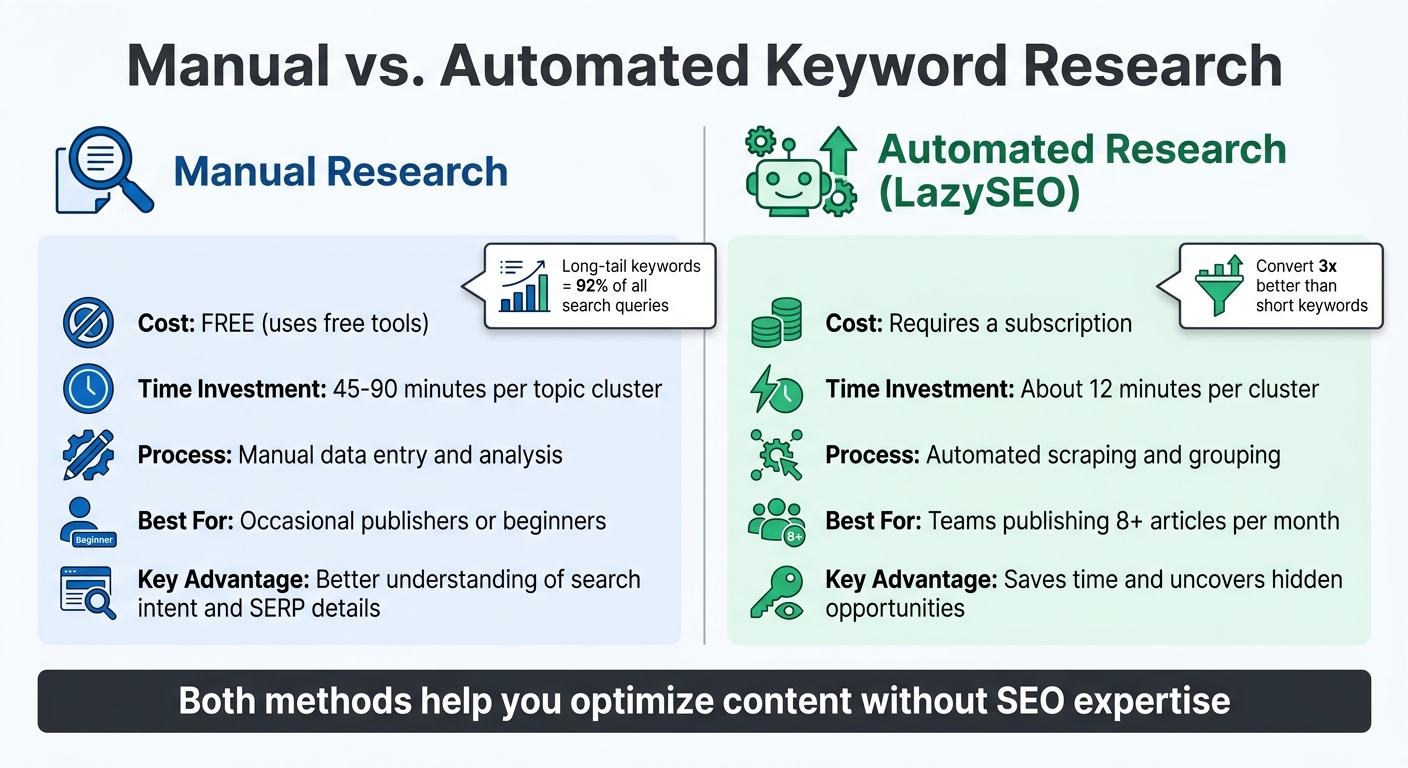 {Manual vs Automated Keyword Research: Time, Cost & Best Use Cases Comparison}
:::
{Manual vs Automated Keyword Research: Time, Cost & Best Use Cases Comparison}
:::
You don’t need pricey tools to uncover the exact phrases your customers are searching for. Start by focusing on long-tail keywords - phrases with three or more words. These account for 92% of all search queries[10] and convert three times better than shorter, generic terms[13].
Begin by brainstorming 5–10 broad topics related to your business. For example, if you run a meal planning service, you might start with topics like "healthy meal prep", "weekly dinner ideas", or "quick breakfast recipes." From there, break these down into specific questions or phrases your audience is likely to search for. Keep in mind: 10 keywords with 500 searches each on page one can bring in more traffic than a single keyword with 50,000 searches stuck on page five[7].
If you’re looking to simplify this process, tools like LazySEO can help automate keyword discovery.
Using LazySEO for Automated Keyword Discovery
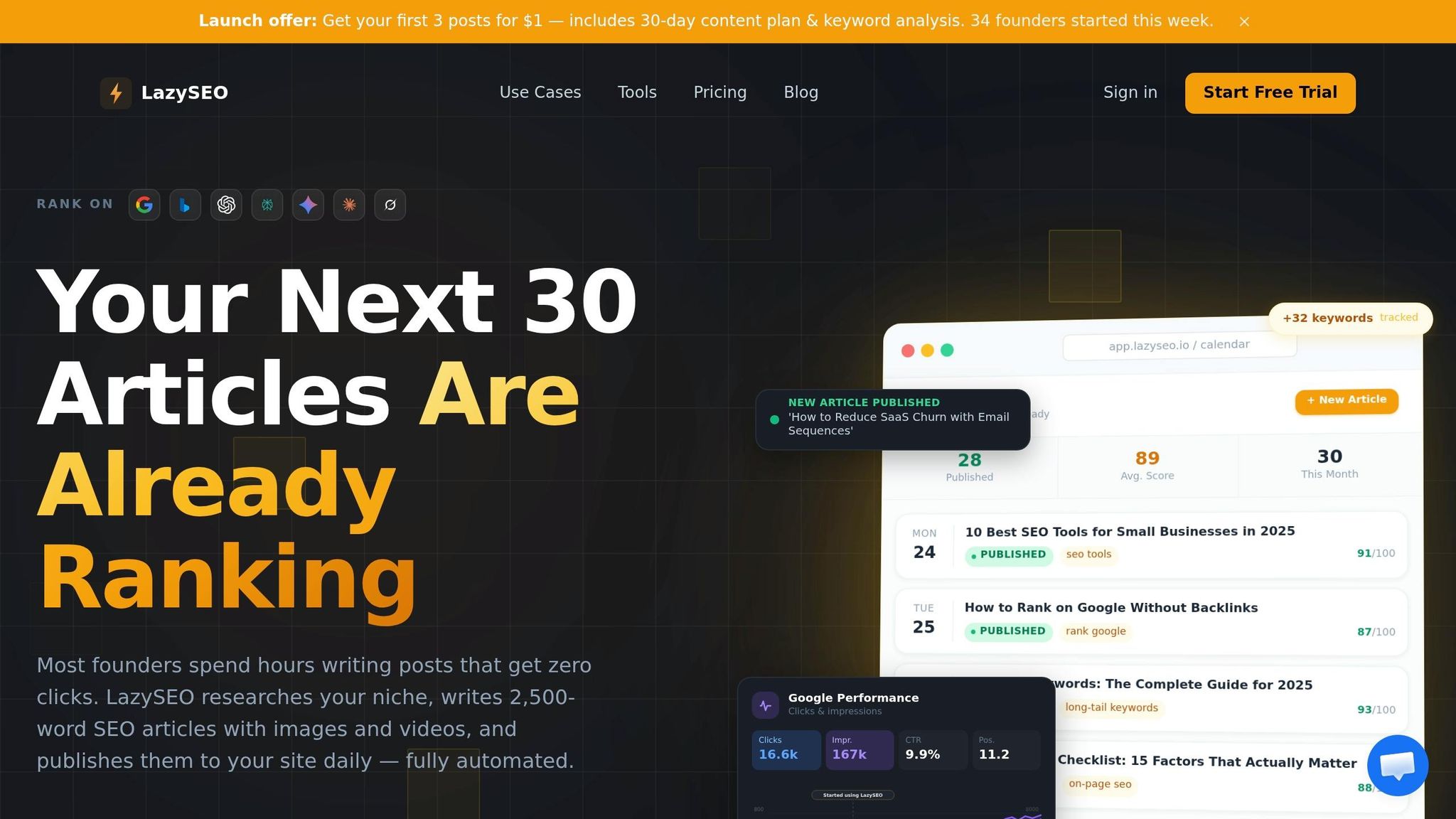
LazySEO takes the guesswork out of keyword research by scanning your niche and grouping related keywords into clusters. This prevents keyword cannibalization and helps you create a focused content plan. For example, entering a topic like "home workouts" will generate clusters of related keywords.
The tool also uses a Keyword Difficulty (KD) score, which ranges from 0 to 100. Aim for keywords with a KD score between 0 and 30 and monthly search volumes of 500 to 5,000[7]. LazySEO even identifies search intent, helping you align your content with whether users are looking for information, comparing products, or ready to make a purchase.
One of the biggest time-saving benefits? Automated research is fast. While manually building a topic cluster might take 45–90 minutes, LazySEO can do it in about 12 minutes[8]. If you’re publishing more than eight articles a month, this efficiency really adds up. Plus, LazySEO creates Topical Maps - clusters of 10–50+ articles that cover a subject comprehensively. This approach can help establish the authority Google favors[12].
Finding Keywords Manually Without Paid Tools
If you’re on a budget, manual keyword research is still a solid option. Try the A–Z Autocomplete Method: type your main keyword into Google, followed by each letter of the alphabet (e.g., "meal prep a", "meal prep b"). This simple trick can generate 50–80 long-tail keyword ideas in about 15 minutes[8].
Google’s "People Also Ask" (PAA) boxes are another goldmine. These boxes display real user questions, and clicking on one reveals even more related queries - each a potential keyword opportunity.
You can also explore forums like Reddit and Quora to see how people discuss their challenges. These platforms often reveal unique keyword ideas that might not show up in traditional tools[7][11]. Already have a website? Check Google Search Console for queries where your pages rank between positions 8 and 20. These are low-hanging fruit - keywords where a few tweaks could push you to page one[8][9].
Your choice between manual and automated methods will depend on how much content you plan to publish and how much time you can invest.
Manual vs. Automated Keyword Research
Both manual and automated research methods can help you optimize your content, even if you’re new to SEO.
| Feature | Manual Research | Automated Research (LazySEO) |
|---|---|---|
| Cost | Free (uses free tools) | Requires a subscription |
| Time Investment | 45–90 minutes per topic cluster | About 12 minutes per cluster |
| Process | Manual data entry and analysis | Automated scraping and grouping |
| Best For | Occasional publishers or beginners | Teams publishing 8+ articles per month |
| Key Advantage | Better understanding of search intent and SERP details | Saves time and uncovers hidden opportunities |
Manual research is ideal for smaller-scale projects or those wanting a hands-on approach. On the other hand, automated tools like LazySEO are perfect for scaling your efforts and uncovering gaps you might otherwise miss.
Writing Content That Ranks on Google
Crafting content that ranks well on Google involves clear organization and thoughtful keyword placement. Why does this matter? The top organic result on Google grabs 27.6% of all clicks[2], so nailing your content strategy can have a big payoff.
Start by structuring your article effectively. Use a single H1 tag for the main title, H2 tags for major sections, and H3 tags for supporting details. Keep paragraphs short - 1 to 3 sentences - and use bullet points or numbered lists to make your content easy to skim. Adding elements like images, videos, or embedded social media posts can increase reader engagement, which signals to Google that your content is worth staying for. Let’s dive into how to structure your content for maximum readability and SEO impact.
How to Structure Content for Easy Reading and SEO
Think of your content as a well-organized toolbox - everything should have its place, making it easy for readers to find what they need. Avoid large blocks of text by breaking content into short paragraphs and using visual elements to create breathing room.
Here’s a handy framework based on different content goals:
| Content Type | Recommended Word Count | Primary Goal |
|---|---|---|
| Quick How-To / Short Answer | 600–900 words | Win Featured Snippets |
| Standard Blog Post / Tutorial | 1,200–2,000 words | Informational Intent |
| Comprehensive Guide / Pillar Page | 2,500–5,000+ words | Build Topical Authority |
To target Featured Snippets - those coveted "Position Zero" boxes that appear at the top of search results - include a concise 40–45 word answer directly under an H2 header that asks a specific question[14]. This simple tweak can significantly boost your visibility and drive more traffic.
Where to Place Keywords in Your Content
Strategic keyword placement is key to ranking higher. Focus on where keywords appear rather than how often they’re used. Here are some essential spots to include your primary keyword:
- In the title tag, ideally near the beginning
- Within the first 100 words of your introduction
- In at least one H2 header
- In the URL slug
Meta descriptions should be between 120–155 characters and include your keyword to encourage clicks. For subheadings, use variations of your keyword and related terms to show Google the depth of your content while avoiding the penalties of keyword stuffing.
"SEO content writing isn't about stuffing keywords - it's about creating content that answers real user questions in a way search engines can clearly understand."[14]
Don’t forget to optimize image alt text and internal link anchor text. These small details help Google understand your site’s structure and topic focus. Considering the top three organic results capture 68.7% of all clicks[15], these optimizations can make a big difference.
Using LazySEO to Generate SEO-Optimized Content
LazySEO offers AI tools that simplify the process of creating SEO-friendly content. These tools analyze the top 20+ search results, providing real-time scoring and keyword recommendations[12]. With LazySEO, you can generate long-form drafts that come pre-optimized, complete with word count suggestions, heading structures, and semantically related terms - all tailored to align with what’s already ranking.
The platform delivers ready-to-publish content, saving you hours of research and formatting. Whether you’re managing one article or thirty a month, LazySEO ensures your content aligns with Google’s current best practices, no deep SEO knowledge required.
Simple On-Page SEO Improvements
Building on the earlier steps of keyword research and content structuring, these on-page adjustments help align your site with Google’s guidelines. The best part? On-page SEO doesn’t demand advanced technical skills. Considering that 75% of users never scroll past the first page of search results [16], nailing these basics can make a noticeable difference.
The focus here is on three impactful areas: meta titles and descriptions (what users see in search results), internal links (connections between your pages), and visual content (images and videos). Each tweak takes just a few minutes but can improve rankings and click-through rates. LazySEO simplifies the process, offering support from keyword research to fine-tuning these elements. Let’s break down how to optimize each one.
Writing Better Meta Titles and Descriptions
Your meta title is the clickable headline that shows up in search results, while the meta description is the short summary displayed beneath it. Think of them as your online storefront - they need to stand out in a crowded marketplace.
- Keep titles between 50-60 characters and descriptions between 150-160 characters to ensure they display properly on all devices [16][17].
- Place your primary keyword near the start of the title for better relevance. For example, instead of "Things You Should Know About Improving Your Website", use something like "On-Page SEO Guide: 11 Strategies to Rank Higher in 2026" [16].
- Use power words like "Best", "Guide", or "Checklist" and include numbers when possible - e.g., "7 Ways to…" - to set clear expectations and grab attention [16][17].
- In your description, action-oriented language such as "Learn", "Discover", or "Save" encourages users to click [16][18].
Here’s a quick reference:
| Element | Ideal Length | Key Requirements |
|---|---|---|
| Meta Title | 50–60 Characters | Start with the primary keyword; include power words. |
| Meta Description | 150–160 Characters | Use the focus keyword naturally; add a clear call to action. |
"Ranking is often not enough. You need to maximize clicks."
– Marcus Miller, Managing Director, Bowler Hat [18]
LazySEO offers automated suggestions for meta titles and meta descriptions, analyzing top-performing pages in real time. It even scores your titles and provides actionable tips to improve them.
Once your titles and descriptions are optimized, it’s time to enhance your site’s navigation with internal links.
Adding Internal Links and Improving Page Structure
Internal links help users and search engines navigate your site while spreading authority from high-ranking pages to those needing a boost [16][19].
- Add 2–3 internal links on every page [16][20].
- Use descriptive anchor text instead of vague phrases like "click here." For example, "learn about keyword research" gives readers and search engines a clear idea of the destination.
"Internal linking is HUGE for SEO. Specifically, you want to link from high-authority pages on your site to pages that need a boost."
– Backlinko [19]
LazySEO simplifies this by scanning your site and suggesting or adding relevant internal links automatically [21].
Adding Images and Videos to Boost Engagement
Visual content not only makes your pages more engaging but also signals quality to Google. Google Images accounts for 22.6% of all searches [23], and images appear in over 30% of search results [22].
- Rename image files with descriptive, keyword-rich names (e.g., from "IMG_1234.jpg" to "blue-running-shoes.webp") before uploading [23].
- Compress images using tools like Squoosh.app or TinyPNG to reduce load times without sacrificing quality [22][23].
- Use the WebP format, which is 25–35% smaller than JPEG while maintaining high quality [23].
- Write natural alt text that describes the image. For instance, instead of "shoes buy shoes cheap", use "Men's blue Nike running shoes on a white background" [23]. Since 63% of websites lack proper alt text, addressing this can give you an edge [23].
Videos are also powerful tools. Embedding YouTube videos increases time spent on the page, a positive signal to Google. LazySEO includes features for seamless video embedding. Additionally, using loading="lazy" ensures images and videos don’t slow down your page load speed.
Building Website Authority Without Backlinks
You don’t need a mountain of backlinks to rank well on Google. The search engine is increasingly rewarding websites that demonstrate deep knowledge on specific topics rather than those with scattered, high-authority posts. A smaller site with 30–40 well-connected articles can outperform a high-authority competitor that only has a handful of loosely related posts on the same topic [27]. This strategy revolves around three key approaches: structuring content into topic clusters, refreshing older pages, and following Google’s E-E-A-T guidelines. Let’s break them down.
Organizing Content into Topic Clusters
Topic clusters operate like a hub-and-spoke system. At the core is a pillar page - a long, comprehensive guide (2,500–5,000 words) covering a broad topic. Surrounding it are cluster pages, which dive into specific subtopics and target niche, long-tail keywords [24][25]. These cluster pages link back to the pillar page, creating a network of internal links that demonstrates topic mastery to Google.
Websites leveraging topic clusters often experience 3x more organic traffic growth compared to those publishing isolated articles [25]. Over a year, mature clusters can increase organic traffic by 120% relative to baseline [25]. The secret? Covering all relevant subtopics in detail - what’s called semantic completeness. For example, articles exceeding 2,900 words tend to have 5.1 AI citations on average, while shorter articles (under 800 words) average just 3.2 [27].
"A small website with two well-structured content clusters will consistently outperform a large site with hundreds of scattered, unlinked articles. The compounding effect of internal links and topical depth is the most underrated ranking factor in SEO today."
– Atilla Kuruk, SEO & AI Search Specialist [25]
Here’s a real-world example: A Series B fintech company focused on "Spend Management" deleted 40 irrelevant posts and built a cluster of 25 technical articles around "Corporate Card Reconciliation." Within six months, they grew their organic traffic from 3,000 to 18,000 monthly visits and ranked #1 for high-intent software keywords - all without a heavy backlink campaign [26].
To optimize your clusters:
- Add a link to your pillar page within the first 2–3 paragraphs of every cluster article.
- Ensure every page in the cluster is reachable within three clicks from the homepage (e.g., Homepage → Blog → Pillar → Spoke) [25].
- Use descriptive anchor text, like “guide to email segmentation,” rather than generic phrases like “click here” [25].
Tools like LazySEO can simplify the process by suggesting internal links and identifying content gaps.
Updating Old Content to Keep It Relevant
Refreshing outdated content is one of the quickest ways to boost rankings without building new backlinks. Google’s "Query Deserves Freshness" (QDF) algorithm favors recently updated pages, especially for trending topics and product reviews [28]. AI tools like ChatGPT and Perplexity also show a preference for fresher citations - URLs they reference are 25.7% newer on average compared to standard search results [28].
But not all updates are equal. Google evaluates whether changes add information gain - unique data, examples, or insights that competitors lack [28]. For instance, Ahrefs rewrote a 2018 article on "link reclamation", adding new data and examples. The updated version tripled the original post’s monthly traffic [28].
"Google spent a lot of time refining how it handles [updates] and it can look back across multiple versions of a page and assess whether a change is meaningful enough outside of just getting a new timestamp."
– Roxana Stingu, SEO Expert [28]
To refresh content effectively:
- Identify pages with declining traffic.
- Add updated statistics, new examples, and address subtopics competitors cover but you don’t.
- Use relevant subheadings (H2/H3), include fresh images, and link to newer related content [12][28].
Review your clusters quarterly to maintain momentum and ensure they remain relevant [25][26].
Applying Google’s E-E-A-T Guidelines
E-E-A-T stands for Experience, Expertise, Authoritativeness, and Trustworthiness. While not a direct ranking factor, it’s a framework Google uses to assess content quality [29]. Among these, trustworthiness carries the most weight [30]. Establishing E-E-A-T signals involves demonstrating real-world insights and sharing original data.
Here’s how to align with each pillar:
- Experience: Share first-hand insights, like “In my experience” or “When we tested this,” and include original screenshots or personal photos [29].
- Expertise: Highlight credentials, certifications, and professional achievements on dedicated author pages [29][30].
- Authoritativeness: Build credibility through brand mentions, comprehensive topic clusters, and citations from industry sources [29][30].
- Trustworthiness: Ensure your site has HTTPS security, a clear "About Us" page, visible contact details, and accurate citations [29][30].
For example, Angi (formerly Angie’s List) built high E-E-A-T by hiring a construction professional with over 30 years of experience to create and review content. This strategy helped them rank for high-intent terms like "shiplap ceiling installation cost" and gain recognition as a trusted source by AI platforms like Perplexity [30]. Similarly, Epic Gardening grew its organic traffic to 582,100 monthly visits by sharing experimental results, even though the founder lacked formal horticultural qualifications [30].
| E-E-A-T Pillar | Focus Area | Practical Application |
|---|---|---|
| Experience | First-hand insights | Case studies, personal photos, "I tested this" content |
| Expertise | Knowledge and skill | Author bios, certifications, in-depth guides |
| Authoritativeness | Reputation as a source | Brand mentions, topic clusters, industry citations |
| Trustworthiness | Accuracy and safety | HTTPS, clear contact info, cited sources, honest reviews |
With tools like LazySEO, you can identify content gaps, streamline internal linking, and ensure your pages meet Google’s quality standards. Combining topic clusters, regular updates, and E-E-A-T principles lays the groundwork for lasting authority - no backlinks required.
Tracking Your Results and Making Improvements
Ranking on Google isn’t a one-and-done deal. It’s an ongoing process of tracking performance, identifying weak spots, and making adjustments based on real data. Without tracking, you’re essentially guessing. The good news? You don’t need pricey tools or a data science degree for this. Google Search Console (GSC) is completely free and gives you key insights into how people are finding your site and where you can improve [31].
Using Google Search Console to Track Performance
GSC focuses on four essential metrics:
- Total Clicks: The number of visitors coming to your site from search.
- Total Impressions: How often your pages appear in search results.
- Average CTR: The percentage of users who click on your link.
- Average Position: Your ranking for specific keywords.
These metrics can help you spot what’s working and where new opportunities lie. For instance, you can filter data to separate branded from non-branded searches. Why does this matter? Non-branded traffic (like someone searching for "best project management software") often brings in new users and drives growth.
Pay close attention to keywords ranking between positions 8 and 20. Why? Moving a keyword from position 11 to 7 can multiply your clicks by 3 to 5 times. To give some context, the average click-through rate (CTR) for position #1 is about 27.6%, but by position #10, it plummets to just 2.4% [32].
"The highest-ROI work in SEO is pushing queries from position 8-15 to the top 5." – MetricNexus [32]
Another quick win? Look for pages with high impressions but low CTR. Updating title tags and meta descriptions can make a big difference. For example, if a page ranks in the top three but has a CTR below 11%, small tweaks can increase clicks without needing to boost your ranking.
Also, compare 28-day periods to spot content decay. If impressions drop but clicks hold steady, it might mean your content is losing relevance and needs an update [32].
Finding and Filling Content Gaps
Once you’ve analyzed your performance, it’s time to dig into content gaps and keyword cannibalization. Start by identifying queries with high impressions but few or no clicks. This often signals that your site doesn’t fully meet search intent. For example, if "how to write cold emails" generates 5,000 impressions but you only have a general "email marketing guide", creating a dedicated page on cold emails could fill that gap.
Keyword cannibalization is another issue to watch for. If multiple pages compete for the same keyword, search engines may get confused. Consolidating those pages into one authoritative resource can solve the problem and improve your rankings.
Another thing to monitor? AI-generated summaries. By 2024, nearly 60% of Google searches end without a click because users get answers directly from AI-generated snippets [33]. If your competitors are showing up in these summaries and you’re not, it’s a visibility issue. Address this by creating clear, well-structured content to increase your chances of being featured.
For a more automated approach, tools like LazySEO can scan your site, identify missing keywords, and suggest new content ideas - saving you hours of manual work.
Continuous Optimization for Long-Term Growth
SEO isn’t a "set it and forget it" strategy. Competitors update their content, algorithms evolve, and user behavior changes. To keep up, you need to optimize continuously.
Here’s a simple workflow:
- Export data and analyze trends, such as a 20% drop in clicks or impressions.
- Implement optimizations like refreshing outdated content, improving internal links, or rewriting titles.
- Measure the impact of your changes.
Don’t overlook Core Web Vitals - metrics like page load speed and layout stability. Poor mobile usability or slow-loading pages can hurt your rankings. GSC’s Core Web Vitals report can help you pinpoint and fix these issues [31].
Lastly, audit your content library regularly. Pages with fewer than 5,000 impressions over six months may be candidates for deletion or consolidation. This helps Google focus on your best content, which can improve your site’s overall authority [34].
"If you're not tracking what's actually happening on your site, you're just posting and hoping for the best. But let's be honest, that's not really a strategy at all." – Tanatswa Chingwe, Writer, Search Engine Land [31]
Conclusion
Throughout this guide, we've shown that practical SEO doesn’t demand formal training, technical know-how, or expensive agencies. The SEO landscape has shifted - topical coverage now outweighs outdated tactics like keyword stuffing. Research shows that pages addressing around 74% of relevant facts perform far better than those covering only half of the topic [35]. Tools like LazySEO simplify the process by automating keyword discovery, content optimization, and performance tracking.
The key to success is consistency. Many DIY SEO efforts stumble when consistency fades, even though organic search remains one of the most reliable traffic sources. It typically takes 3 to 6 months of steady work to see meaningful results [1][3]. But the beauty of SEO is that once your content gains traction, it continues to deliver value over time.
"You don't need a degree to optimize your website for search engines successfully." – Brian Frederick, Digital Marketing Expert [1]
Start by mastering the basics: find the keywords your audience is searching for, create content that answers their questions, and monitor your progress using tools like Google Search Console. Automation can handle repetitive tasks like keyword research and technical audits, freeing up your time to focus on crafting content that resonates. Even small updates - like refreshing old posts with new data or fine-tuning meta descriptions - can lead to noticeable traffic growth.
FAQs
::: faq
What should I do first if my site is new and has no rankings yet?
If your website is just getting off the ground, your first step should be keyword research. This means finding keywords that are relevant to your niche, have solid search potential, and are realistic to rank for.
Begin by selecting a niche or topic you want to focus on. Then, identify a "seed" keyword - a central term that represents your topic - and build valuable content around it.
At the same time, make sure your website is technically ready to perform well. This includes ensuring fast load times, making your site mobile-friendly, and setting up tools like Google Search Console and Google Analytics. These tools will help you track your progress and make it easier for search engines to understand and index your site. :::
::: faq
How do I choose between a pillar page and a regular blog post?
When choosing between a pillar page and a blog post, it all comes down to the purpose of your content.
A pillar page serves as a comprehensive, go-to resource on a broad topic. It often acts as the cornerstone of your content strategy, linking out to related articles to establish topical authority. Think of it as the hub of a wheel, with spokes connecting to more specific content.
On the other hand, a blog post zeroes in on a specific subtopic or keyword. These are usually shorter and designed for quick, targeted insights or updates.
Here’s a quick guide to help you decide:
- Use a pillar page when you need to provide a detailed, foundational resource that ties multiple pieces of content together.
- Opt for a blog post when you want to address a focused topic or answer a specific question.
Both formats should feature relevant keywords and include internal links to improve navigation and SEO. :::
::: faq
How can I tell which pages to update based on Google Search Console?
Google Search Console is a goldmine for identifying pages with high impressions but low click-through rates (CTR). These are pages that searchers see but don’t often click on. A few strategic tweaks - like improving titles or meta descriptions - can make a big difference in their performance.
Pay close attention to pages ranking on the second page of search results. These are prime candidates for improvement since even a slight boost could push them onto the first page, where the majority of clicks happen.
Another key step? Spotting content gaps. Compare your content to competitors to see what topics they’ve covered that you haven’t. Updating your site to fill in these gaps can help you stay competitive and attract more traffic. :::