
A technical SEO checklist is your roadmap for ensuring your website is discoverable, fast, and optimized for search engines in 2026. It covers crawlability, site speed, mobile optimization, and structured data, so you don’t miss any factor that could boost your rankings. If you’re like most marketers or SEO specialists, you know there’s more to SEO than keywords and backlinks—what keeps you up at night are the invisible screws under your site’s hood dragging you back every time you think you’ve got your strategy dialed in.
Here’s a reality few admit: over 70% of high-traffic websites still fail at least one critical technical SEO test. That means even with great content and keywords, you’re losing thousands of clicks because Google can’t—or won’t—fully understand or prioritize your site. You grind through endless audits, dashboard alerts, and shifting best practices, hoping you don’t overlook the one setting that tanks your organic visibility. The hours lost troubleshooting crawling issues or the anxiety of dropping mobile rankings after an update can make any marketer question their sanity. You need clear answers, proven tactics, and a checklist that works for search engines in 2026—not another outdated listicle rehashing what Google did years ago.
This article arms you with the ultimate technical SEO checklist—each item explained plainly, tailored for busy marketers, ecommerce leads, and SaaS teams who need results, not theory. Get ready to demystify site structure, speed, crawlability, and structured data, with a peek into the future so you can keep your edge as search evolves. Starting with why mastering technical SEO still pays in 2026.
Why Technical SEO is Your Secret Weapon in 2026
Technical SEO multiplies good content into unstoppable organic growth. Research from 2026 shows technical SEO improvements can boost organic traffic by up to 50%. Ignore it, and competitors will sprint past you—no matter how brilliant your content or backlink strategy looks.
Anyone on the front lines knows Google's algorithms favor sites that are easy to crawl, lightning-fast, and clean under the hood. All those UX and brand investments won’t matter if search engines hit dead ends. The result? Pages go undiscovered, conversions drop, and you’re left wondering why KPIs tank.
Can Technical SEO Actually Double Your Traffic?
Absolutely. A SaaS company last year churned out stellar long-form content but saw flat traffic for months. The culprit: duplicate pages, slow load times, and misconfigured canonical tags. After a ruthless technical SEO audit (using tools like Ahrefs and Screaming Frog), they fixed crawling issues, broken links, and mobile performance.
The payoff? Organic traffic doubled within four months. Rankings soared for dozens of high-intent keywords, and free trial signups rose 30%—without changing content strategy.
What Does a Technical SEO Audit Actually Involve?
A technical SEO audit reviews the invisible architecture powering your site’s organic visibility. It starts with tools like Screaming Frog or Ahrefs Site Audit, scanning for:
- Crawl errors and broken links
- Duplicate content or incorrect canonicalization
- Slow loading speeds (especially on mobile)
- Indexing issues and robots.txt misfires
- Missing or misused structured data
Don’t “eyeball” this—automated crawlers uncover hidden killers you’d miss manually. For a thorough approach, follow a detailed SEO audit checklist to leave no stone unturned.
The Real-World Impact: Issues That Tank (or Save) Your Traffic
Which technical SEO issues drag down your numbers and how hard are they to fix?
| Technical SEO Issue | Impact on Traffic | Difficulty to Fix |
|---|---|---|
| Duplicate Content | High (drops rankings) | Moderate |
| Crawl Errors (404s, 5xx) | High (blocks discovery) | Low |
| Slow Page Load Speed | Very High (kills UX & SEO) | Moderate–High |
| Broken Internal Links | Medium (hurts authority) | Low |
| Missing HTTPS | High (trust & rankings) | Low |
| Poor Mobile Optimization | Very High (mobile-first) | Moderate |
| Bad Robots.txt or Noindex | Extreme (de-indexed) | High (can be tricky) |
| Unoptimized Structured Data | Medium (miss rich results) | Moderate |
Even one misconfigured robots.txt file can de-index your entire site—don’t treat this as “set and forget.”
Technical SEO isn’t optional in 2026—it’s the backbone of every high-performing site. Miss fundamentals, and you’re guaranteed to lose traffic and revenue. Start with a comprehensive technical SEO audit, and you’ll be miles ahead of teams still fighting their sites instead of letting Google do the heavy lifting.
For why technical SEO delivers some of the highest ROI in digital marketing, see this analysis by Moz.
How to Ensure Your Site is Crawlable and Indexable
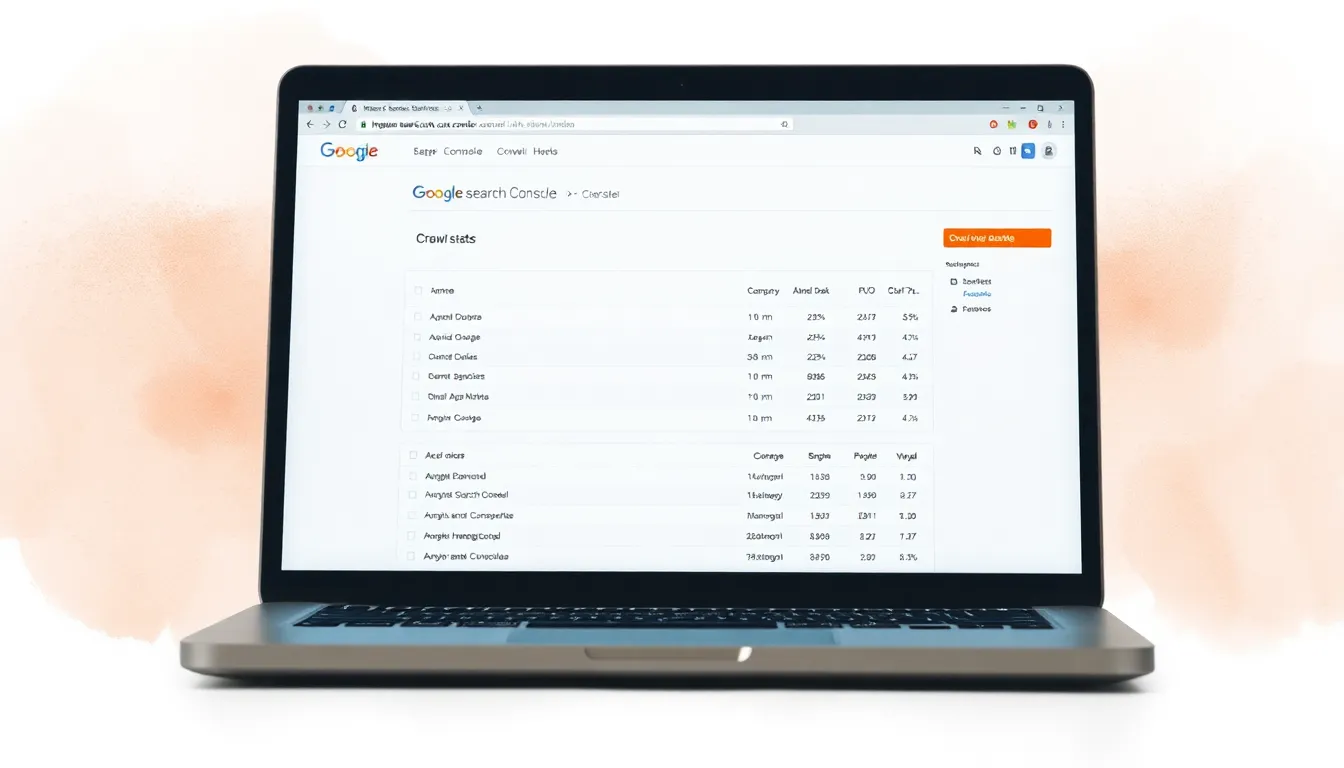
You can have compelling content and killer offers, but if Google can’t crawl or index your site, you’re invisible. Picture a well-designed ecommerce store with irresistible product descriptions but flat traffic. Problem? Search engines are blocked at the front door.
Ensuring crawlability and indexability starts with two basics: robots.txt and XML sitemap. Robots.txt tells search engines where they can and can’t go, while your sitemap lays out the paths you want them to follow.
Reality check: 30% of websites have crawlability issues. That’s not minor—it tanks visibility and pushes your site down rankings. Missing this step stops SEO momentum before it starts.
Why Do Sites Get Stuck?
Misconfigured robots.txt files are classic culprits. Accidentally blocking essential directories or whole sections means Google never indexes your star pages. Forgotten noindex tags on key content have the same effect. Suddenly, you wonder why stellar pages never surface.
Real-World Example: Indexed vs. Non-Indexed Pages
Run a test in Google Search Console. Compare valid, indexed pages with your total site pages. A big gap means lost opportunity—those non-indexed pages might be your top converters, and Google doesn’t know they exist. One SaaS marketer found only 340 of 950 pages indexed due to a robots.txt blocking their knowledge base. Fixing it doubled organic traffic in eight weeks.
Actionable Step: Use Google Search Console to Uncover Crawl Errors
Google Search Console reveals crawl errors like blocked resources, DNS issues, and server errors. It shows excluded URLs, reasons (blocked by robots.txt, noindex, duplicates), and fix suggestions. Check monthly—set a reminder. This isn’t a once-and-done task.
Bottom line: Not using Google Search Console and fixing crawl errors regularly means you’re leaving rankings and revenue on the table.
Tools for Checking Crawlability
Manual checks don’t scale. Compare tools:
- Google Search Console shows what Google indexes and blocks. Free, but only from Google’s view.
- Screaming Frog and Sitebulb crawl your site like search engines, surfacing orphan pages, broken links, and misused noindex or canonical tags. Essential for deep audits but need some technical skill.
Expert tip: Google’s feedback isn’t enough. Bing and Yandex crawl differently—use crawler tools to cover blind spots.
Advanced technical SEO isn’t hype: 68% of top-ranking websites completed a technical SEO audit in 2025. Teams ignoring crawlability aren’t just behind—they’re running with a parachute.
Fix crawlability and indexation barriers now, or your best work stays unseen. Check robots.txt and sitemaps, then let Search Console, Screaming Frog, and Sitebulb show gaps—before competitors do.
For crawl stats and research, see the 2025 Technical SEO State of the Industry report.
What Are the Best Practices for Site Speed Optimization?
Sites loading under 3 seconds see 50% more engagement than slower competitors. That’s the real ROI of speed: load fast, grab attention, watch engagement climb.
Slow sites kill conversions. Ecommerce tests in 2026 show bounce rates spike above 50% when load exceeds 4 seconds. Google doubled down on speed as a ranking factor for mobile and desktop. Ignore it, and you sink in search results.
How can you actually make your site faster?
Improve speed by optimizing images and leveraging browser caching. Trim and deliver every asset—images, code, fonts, videos—instantly.
Here’s a practical 2026 breakdown:
1. Optimize Your Images
- Compress images with TinyPNG or ImageOptim before upload.
- Use modern formats like WebP or AVIF instead of bloated JPEGs/PNGs.
- Never serve full-resolution unless needed. Use responsive images (
srcset) to download only what’s necessary.
2. Leverage Browser Caching
- Set cache-control headers for static resources (images, CSS, JS) to at least 30 days.
- For dynamic content, use short-lived cache headers with smart invalidation.
- Most CDNs and hosts enable this with one click—if not enabled, you’re losing speed gains.
3. Implement Lazy Loading for Images and Videos
- Use
loading="lazy"on images and iframes; browsers delay offscreen assets until scroll. This cuts initial load and perceived delays. - Test lazy loading with sliders or carousels—sometimes manual tweaks are needed.
Sites using modern lazy loading see up to 40% reduction in initial page weight, per Web Almanac (2025).
Example: Before & After Site Speed Optimization
An online apparel store had 1MB product images and no caching. Homepage took 5.3 seconds, tanking rankings and conversions.
- Before: Load 5.3s, Bounce Rate 62%, Engagement 26%
- After: Compressed images, switched to WebP, enabled cache control → load 1.8s, Bounce Rate 38%, Engagement 51%
This isn’t theory—smart speed discipline yields this improvement every time.
What Site Speed Tools Work Best in 2026?
No excuse to guess. Use these tools to find bottlenecks:
| Tool | Best For | Unique Strength | Limitation |
|---|---|---|---|
| Google PageSpeed Insights | Tips, Core Web Vitals scores | Direct from Google, mobile & desktop | Sometimes vague advice |
| GTmetrix | Detailed waterfall, historical data | Clear request/timing visualization | Free version limited |
| Pingdom | Simple, global test locations | Quick snapshots, basic reports | Less detail free |
Test site speed weekly to track progress and catch regressions before rankings suffer.
Key Actions That Move the Needle
- Compress images, use next-gen formats.
- Enable browser caching for all static content.
- Lazy load everything below the fold.
- Use a CDN to cut latency for distant visitors.
- Monitor new Core Web Vitals (Interaction to Next Paint, Total Blocking Time).
Bottom line: If your site loads slower than 3 seconds on mobile in 2026, you’re losing engagement and revenue. Invest the time. Speed boosts SEO and customer experience.
For data on user impatience and speed, see Portent’s study.
How to Optimize Your Website's Mobile Experience
How long will visitors wait on their phones? If you guessed more than three seconds, you’re setting yourself up for disappointment. 2026 research shows bounce rates jump 32% when load time rises from 1 to 3 seconds. Users bail, and you lose sales or leads.
Why is Mobile Optimization Critical for SEO in 2026?
Mobile optimization is non-negotiable. Over 60% of searches happen on mobile in 2026, rising still. Google doesn’t just prefer mobile-friendly sites—it ranks them higher for mobile queries. If your site fumbles on phones, you lose more than half your audience.
Key takeaway: Not prioritizing mobile means invisibility for most searchers.
Google's mobile-first indexing means the mobile site version is crawled and ranked. Sloppy mobile UX, tiny tap targets, or broken content cause catastrophic ranking, traffic, and revenue drops.
What Does a Real-World Mobile SEO Win Look Like?
A mid-sized ecommerce store, UrbanThreads, did a mobile overhaul in late 2025. They halved mobile load time and switched to fully responsive design. Result? Mobile sales spiked 30% in three months, cart abandonment dropped 23%. This is what happens when mobile usability is a core SEO strategy, not an afterthought.
Which Mobile Optimization Techniques Work Best in 2026?
Lots of noise, but here are three core approaches—Responsive Design, AMP, and PWA—with when each shines or falls short:
| Technique | Best For | Pros | Cons | SEO Impact (2026) |
|---|---|---|---|---|
| Responsive Design | Most websites, SaaS, blogs | One codebase, Google’s preferred method, flexible | Heavier pages if poorly coded | High (default for ranking) |
| AMP | News sites, publishers | Lightning-fast, boosts Core Web Vitals | Limited design and functionality | Supported but less vital |
| PWA | E-commerce, apps, repeat users | App-like, offline use, push notifications | Complex to build, higher cost | Strong for engagement & UX |
Don’t chase AMP hype—Google pushes it less now. Unless you’re a publisher fighting for Top Stories, stick with responsive design or build a PWA for app-like experience.
How Do You Actually Test and Fix Mobile Issues?
Run your homepage and top pages through Google’s Mobile-Friendly Test. It gives line-by-line fixes for tap targets, font scaling, viewport errors.
Running tests isn’t enough. Manual checks waste time. Use tools like LazySEO for mobile speed and UX audits. They flag bloated images, broken responsive code, legacy scripts hurting Core Web Vitals.
Bottom line: Mobile SEO doesn’t happen by accident. Commit to responsive design, test on real devices, and automate audits.
If you think mobile users will “just zoom in” or muddle through a clunky site, think again. The 2026 bar is ruthlessly high. The fast, flawless, thumb-friendly experience wins every time.
For more, see research from Think with Google—mobile optimization’s link to conversion is undeniable.
The Role of Structured Data in Enhancing SEO
Structured data helps search engines understand your content better, improving your chances of standing out in search results. It’s a technical tweak with real impact: sites using structured data see a 20% increase in click-through rates.
Why? Imagine searching for running shoes. Two sites appear: one with a plain blue link, another with product ratings, price, availability, and Q&A in the snippet. Where do you click? That’s rich snippets powered by structured data.
What is Structured Data and Why Does It Matter for SEO in 2026?
Structured data is a standardized format (like schema.org) to provide info about a page and classify content. Think of it as speaking Google’s language—a cheat sheet helping bots understand content instantly.
Rich snippets answer user questions before clicks, boosting trust and qualified traffic. In 2026, with shrinking attention spans and AI summaries in SERPs, structured data is your ticket to visibility.
Sites with schema markup average a 20% CTR jump, per a 2026 BrightEdge report.
What Structured Data Looks Like in Practice
-
Without structured data:
“Best Ergonomic Chair | OfficeComfort.com”
Just a blue link and meta description. -
With structured data (Product, Review, FAQ):
“Best Ergonomic Chair ★★★★☆ (247 reviews) | $199 In Stock | OfficeComfort.com”
Plus dropdown FAQs beneath the snippet.
The difference pulls the eye and gives real reasons to click.
What Types of Structured Data Matter Most?
Not all markup gets equal SERP treatment. Focus on:
| Type | Appearance in SERPs | SEO Superpower |
|---|---|---|
| Product | Price, availability, reviews | Dominates e-commerce, increases buyer intent |
| Review | Star ratings, review count | Social proof, builds trust, boosts engagement |
| FAQ | Dropdown Q&As under listing | Captures featured snippets, answers pre-click |
If you sell, review, or answer questions, these schemas vault your snippet above bland links.
How Do You Implement Structured Data Correctly?
No need to hand-code JSON-LD. Fast steps:
- Go to Google’s Structured Data Markup Helper.
- Paste your page’s URL or HTML.
- Highlight and tag elements (product name, price, FAQ).
- Generate code and add it to your page’s
<head>or HTML.
Don’t skip validation. Use Google’s Rich Results Test before publishing.
Structured data isn’t optional in 2026—ignoring it means missing rich snippets, trust signals, and significant CTR boosts. A few hours implementing schema can make competitors invisible.
Future-Proofing Your Technical SEO Strategy
Updating your SEO every quarter is non-negotiable to outpace Google’s shifting algorithms. Sticking to old tactics is a fast track to disappearing from page one.
70% of SEO pros overhaul their approach quarterly. Why? Waiting for traffic drops means sites end up in SEO graveyards. Google’s tweaks hit thousands monthly—some lose half their organic traffic overnight, others barely flinch.
It’s not luck. It’s preparation.
What Does It Take to Stay Ahead of Google’s Updates?
Relying on last year’s playbook guarantees getting blindsided. Agile teams keep rankings rock-solid by:
-
Monitoring algorithm news religiously.
Major updates like “Helpful Content” or Core Web Vitals can wipe out months of work. Subscribe to Search Engine Journal and Google Search Central Blog. Set alerts to get updates first—don’t learn from plunging analytics. -
Running technical audits after updates.
Update day means all hands on deck. Check indexing, crawl stats, speed, and structured data. If errors spike, act fast. Tools like Screaming Frog, Sitebulb, and Search Console catch issues quickly. -
Prioritizing structured data.
Structured data is a must for SERP dominance. In 2025, schema-using sites saw an 18% boost in rich result impressions. Missing rich results? That’s traffic lost. Schema.org is baseline; use Google’s Rich Results Test to check eligibility.
Key takeaway: Treating SEO as set-it-and-forget-it leads to decline. 2026’s winners obsess over iteration.
Scenario: How Quarterly Updates Saved a Retail Site
A mid-sized ecommerce business faced Google’s March 2025 “Page Experience” update, which added mobile usability as a ranking factor. Competitors who hadn’t audited mobile layouts dropped from top spots overnight.
One team, already fixing mobile bottlenecks and updating schema quarterly, didn’t lose rankings. They gained featured snippet placements thanks to fresher structured data. That’s the payoff for ongoing vigilance.
Essential Components of a 2026-Ready SEO Strategy
| Component | Content Optimization | Technical SEO | Link Building |
|---|---|---|---|
| Focus | On-page elements, content depth | Site speed, structured data, crawlability | Outreach, authority, trust |
| Key Metrics | Keyword ranking, engagement | Indexing, Core Web Vitals, schema wins | Referring domains, backlink authority |
| Main Challenge | Matching intent, content gaps | Staying updated on tech changes | Earning editorial links |
| Tools Used | Surfer SEO, Clearscope | Screaming Frog, Sitebulb, Google Search Console | Pitchbox, Ahrefs, BuzzSumo |
Structured data is non-negotiable. Mobile experience is a dealbreaker. You can’t neglect technical foundations chasing links or tweaking copy.
How to Future-Proof Your Process?
- Subscribe to top SEO newsletters and alerts. Don’t discover updates after traffic drops.
- Schedule quarterly technical audits. Treat these like tax season—they’re mandatory.
- Automate basics but never stop vigilance. Automation handles quick wins; hands-on reviews catch crawl stat oddities, new Search Console labels, or sudden schema losses.
- Benchmark competitors who iterate fast. If you update less, guess who wins the next SERP shakeup?
Bottom line? Technical SEO in 2026 is constant, low-drama improvement. Update quarterly, act fast on news, and treat every Google announcement seriously. That’s how winners operate.
Ready to Level Up Your SEO Game?
Staying ahead in 2026 means more than ticking boxes on a checklist—it’s continuous optimization. Your next step: schedule regular technical audits to catch issues before rankings drop. This keeps your site crawlable, fast, mobile-friendly, and leverages structured data to stand out. Tools like LazySEO automate and simplify audits, freeing you to focus on strategy and growth. Keep refining your approach to set the stage for long-term SEO success. The future of search evolves—make sure your site does too.